EasyManua.ls Logo

AKG HEARO 777 QUADRA - User Manual

AKG HEARO 777 QUADRA
51 pages
Go to English
Print Icon
To Next Page IconTo Next Page
Loading...
HEARO 777 QUADRA
HEARO 777 QUADRA DELUXE
Bedienungsanleitung . . . . . . . . . . . . . . . S. 2
Bitte vor Inbetriebnahme des Gerätes lesen!
User Instructions . . . . . . . . . . . . . . . . . p. 10
Please read the manual before using the equipment!
Mode d’emploi . . . . . . . . . . . . . . . . . . . p. 18
Veuillez lire cette notice avant d’utiliser le système!
Istruzioni per l’uso . . . . . . . . . . . . . . . . p. 26
Prima di utilizzare l’apparecchio, leggere il manuale
Modo de empleo . . . . . . . . . . . . . . . . . p. 34
¡Sirvase leer el manual antes de utilizar el equipo!
Instruções de uso . . . . . . . . . . . . . . . . p. 42
Favor leia este manual antes de usar o equipamento!
Technische Änderungen vorbehalten. Specifications subject to change without notice. Ces caractéristiques sont susceptibles de modifications.
Ci riserviamo il diritto di effettuare modifiche tecniche. Nos reservamos el derecho de introducir modificaciones técnicas. Especificações sujeitas à mudanças sem aviso prévio.
Mikrofone · Kopfhörer · Drahtlosmikrofone · Drahtloskopfhörer · Kopfsprechgarnituren · Akustische Komponenten
Microphones · Headphones · Wireless Microphones · Wireless Headphones · Headsets · Electroacoustical Components
Microphones · Casques HiFi · Microphones sans fil · Casques sans fil · Micros-casques · Composants acoustiques
Microfoni · Cuffie HiFi · Microfoni senza filo · Cuffie senza filo · Cuffie-microfono · Componenti acustici
Micrófonos · Auriculares · Micrófonos inalámbricos · Auriculares inalámbricos · Auriculares con micrófono · Componentes acústicos
Microfones · Fones de ouvido · Microfones s/fios · Fones de ouvido s/fios · Microfones de cabeça · Componentes acústicos
08/01
AKG Acoustics GmbH
Lemböckgasse 21–25, P.O.B. 158, A-1230 Vienna/AUSTRIA, Tel: (43 1) 86 654-0*, Fax: (43 1) 86 654-516, http://www.akg.com, e-mail: sales@akg.com
AKG Acoustics GmbH
Bodenseestraße 228, D-81243 München/GERMANY, Tel: (089) 87 16-0, Fax: (089) 87 16-200, http://www.akg-acoustics.de, e-mail: info@akg-acoustics.de
AKG ACOUSTICS, U.S.
914 Airpark Center Drive, Nashville, TN 37217, U.S.A., Tel: (615) 620-3800, Fax: (615) 620-3875, http://www.akgusa.com, e-mail: akgusa@harman.com
For other products and distributors worldwide see our website: http://www.akg.com

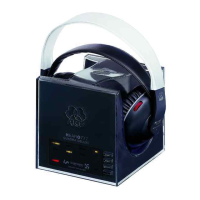
Table of Contents

Questions and Answers

  • E
    Elizabeth Glass MDAug 13, 2025
    What to do if my AKG Headphones have noise?
    • F
      feliciahayesAug 13, 2025
      If you're experiencing noise with your AKG headphones, consider the following: * Ensure that the transmitter and receiving frequencies are the same. If not, press the AUTOTUNING switch on the headphones near the transmitter, or use the FREQ key on the transmitter to select a different carrier frequency and then press AUTOTUNING on the headphones. * Increase the audio level at the transmitter input by adjusting the audio source volume and/or the INPUT LEVEL control on the transmitter. * Check the audio source to make sure the input signal is clean. * Charge the batteries, as low battery power can sometimes cause noise.
  • A
    Adam DillonAug 17, 2025
    What to do if my AKG Headphones have distorted sound?
    • E
      Edward AdamsAug 17, 2025
      If you're experiencing distorted sound with your AKG headphones, the most likely cause is low batteries. Try charging the batteries to resolve this issue.
  • J
    jaclyn35Aug 20, 2025
    How to fix mono sound on AKG Headphones?
    • B
      baileyleonardAug 21, 2025
      If you're only getting mono sound on your AKG headphones, here's what you can do: * Check if the connected audio source is operating in mono mode. If it is, switch it to stereo mode. * Ensure that the transmitter is correctly connected to the audio source. Check the cable connection between the transmitter and the audio source.
  • M
    Margaret AlvarezAug 25, 2025
    What to do if CHARGE label does not light on my AKG Headphone?
    • R
      Ryan GuzmanAug 25, 2025
      If the CHARGE label isn't lighting up on your AKG headphone, try these steps: 1. Make sure the transmitter is properly connected to AC power. 2. Check that there are batteries inside the headphones. 3. Verify the batteries are correctly aligned with the polarity marks. 4. Ensure the headphones are correctly positioned on the transmitter. 5. Switch the headphones OFF.
  • K
    Kristen ReyesAug 28, 2025
    Why is there no sound coming from my AKG Headphones?
    • P
      paigecarrAug 28, 2025
      If you're not getting any sound from your AKG headphones, here are a few things to check: * Ensure the AC adapter is properly connected to both the transmitter and the AC outlet. * Verify that the transmitter is switched on and correctly connected to the audio source. * Make sure the audio source is turned on and sending a signal to the transmitter. * Increase the volume on your audio source until the LEVEL indicator illuminates. * Check the batteries and charge them if they're low. * Be sure your headphones are powered on. * Adjust the volume control on the headphones to your desired level.
  • C
    Cheryl DorseyAug 31, 2025
    Why do my AKG Headphones receive unwanted transmitters?
    • R
      Rebecca DennisAug 31, 2025
      If your AKG headphones are picking up unwanted transmitters, it might be because someone nearby is using similar UHF headphones. To fix this, use the FREQ key on the transmitter to select a different carrier frequency. While staying close to the transmitter, press the AUTOTUNING switch on the headphones.
  • K
    Kiara SmithSep 4, 2025
    What causes intermodulation noise in AKG Headphones?
    • J
      Joseph PruittSep 4, 2025
      Intermodulation noise in your AKG headphones can be caused by: * Electrical appliances with poor interference protection. Try switching off any suspicious appliances if possible. * A defective audio source or sound carrier. Check your audio source or sound carrier for issues.
  • M
    Micheal SilvaSep 8, 2025
    How to adjust overemphasized bass or treble range on AKG Headphones?
    • T
      tiffanypriceSep 8, 2025
      If you're experiencing an overemphasized bass or treble range with your AKG headphones, the issue likely stems from the bass or treble control settings on your audio source. Try readjusting these controls to achieve your desired sound balance.

AKG HEARO 777 QUADRA Specifications

General IconGeneral
BrandAKG
ModelHEARO 777 QUADRA
CategoryHeadphone
LanguageEnglish

Related product manuals