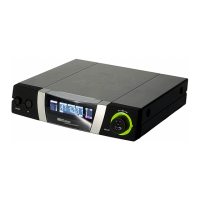
2.5 Controls
2.5.1 Top Panel (Fig. 1)
ON/OFF: On/off switch.
Output jack: This .1-in. TRS jack on
the receiver top panel provides a
fixed-level line output and an adjusta-
ble mono headphone output. The
volume control (3) lets you adjust the
volume level of the headphone out-
put.
The output jack is wired as follows:
Tip: line output (fixed level)
Ring: headphone output (adjustable)
Sleeve: ground
Important: To avoid overloading the
headphone amplifier, do not con-
nect headphones with an imped-
ance lower than 16 Ω to the head-
phone output.
Volume control: Sets the volume
level of the headphone output (2).
The color of the volume control knob
indicates the receiving frequency of
your receiver.
RF LED: Indicates the field strength
of the received signal:
LED lighting green: optimum field
strength.
LED lighting red: field strength is
zero (the transmitter is OFF or the
receiver has been set to a different
channel than the transmitter) or the
received signal is muted because the
squelch is engaged.
LED does not light: power to the
receiver is OFF, no batteries are in the
battery compartment, or the batteries
are dead.
AF LED: Indicates the received audio
level:
LED lighting green and flashing red
on peaks: optimum audio level.
12
Fig. 1: Top panel controls.


 To Next Page
 Loading...