EasyManua.ls Logo

AKG SR 4000 - User Manual

AKG SR 4000
131 pages
Go to English
Print Icon
To Next Page IconTo Next Page
Loading...
Technische Änderungen vorbehalten. Specifications subject to change without notice. Ces caractéristiques sont susceptibles de modifications.
Ci riserviamo il diritto di effettuare modifiche tecniche. Nos reservamos el derecho de introducir modificaciones técnicas. Especificações sujeitas à mudanças sem aviso prévio.
Mikrofone · Kopfhörer · Drahtlosmikrofone · Drahtloskopfhörer · Kopfsprechgarnituren · Akustische Komponenten
Microphones · Headphones · Wireless Microphones · Wireless Headphones · Headsets · Electroacoustical Components
Microphones · Casques HiFi · Microphones sans fil · Casques sans fil · Micros-casques · Composants acoustiques
Microfoni · Cuffie HiFi · Microfoni senza filo · Cuffie senza filo · Cuffie-microfono · Componenti acustici
Micrófonos · Auriculares · Micrófonos inalámbricos · Auriculares inalámbricos · Auriculares con micrófono · Componentes acústicos
Microfones · Fones de ouvido · Microfones s/fios · Fones de ouvido s/fios · Microfones de cabeça · Componentes acústicos
Printed in Austria on recycled paper.
AKG Acoustics GmbH
Lemböckgasse 21–25, P.O.B. 158, A-1230 Vienna/AUSTRIA, Tel: (+43 1) 86 654-0*, Fax: (+43 1) 86 654-7516, www.akg.com, e-mail: sales@akg.com
AKG Acoustics GmbH
Bodenseestraße 228, D-81243 München/GERMANY, Tel: (+49 89) 87 16-0, Fax: (+49 89) 87 16-200, www.akg-acoustics.de, e-mail: info@akg-acoustics.de
AKG ACOUSTICS, U.S.
914 Airpark Center Drive, Nashville, TN 37217, U.S.A., Tel: (+1 615) 620-3800, Fax: (+1 615)620-3875, www.akgusa.com, e-mail: akgusa@harman.com
For other products and distributors worldwide see our website: www.akg.com
Bedienungsanleitung. . . . . . . . . . . . . . . S. 2
Bitte vor Inbetriebnahme des Gerätes lesen!
User Instructions. . . . . . . . . . . . . . . . . p. 23
Please read the manual before using the equipment!
Mode d’emploi. . . . . . . . . . . . . . . . . . . p. 43
Veuillez lire cette notice avant d’utiliser le système!
Istruzioni per l’uso. . . . . . . . . . . . . . . . p. 64
Prima di utilizzare l’apparecchio, leggere il manuale
Modo de empleo . . . . . . . . . . . . . . . . . p. 84
¡Sirvase leer el manual antes de utilizar el equipo!
Instruções de uso . . . . . . . . . . . . . . . p. 105
Por favor leia este manual antes de usar o equipamento!
SR 4000
WMS4000
wireless microphone system
stationary receiver
05/03/9100 U 1058

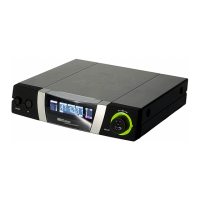
Table of Contents

Questions and Answers

  • G
    George HarmonAug 17, 2025
    Why is my AKG Receiver making noise and crackling?
    • S
      Sean WattsAug 17, 2025
      If your AKG Receiver is producing noise, crackling, or unwanted signals, consider these potential causes: * **Antenna Location**: Try relocating the receiver or its antennas to a different position. * **Interference**: Identify and switch off any nearby sources of interference such as other wireless systems, TVs, radios, CB radios, or defective electrical appliances. Alternatively, try tuning the transmitter and receiver to a different frequency. It's also advisable to have your electrical installation checked for defects.
  • T
    Tony JohnsonAug 20, 2025
    What to do if my AKG SR 4000 Receiver has distortion?
    • T
      Theresa CummingsAug 21, 2025
      If you're experiencing distortion with your AKG Receiver, here are a couple of things to check: * **GAIN Control**: Adjust the GAIN control on the transmitter. If it's set too high or too low, carefully decrease or increase the setting until the distortion stops. * **Interference**: Check for interference from other wireless systems, TVs, radios, CB radios, or defective electrical appliances. Try switching off these potential sources of interference or tune the transmitter and receiver to a different frequency. If the problem persists, have your electrical installation checked.
  • V
    Victoria LongAug 25, 2025
    How to prevent dropouts on AKG SR 4000?
    • C
      cpriceAug 25, 2025
      If you're encountering momentary sound loss ('dropouts') in certain areas while using your AKG Receiver, it might be due to the antenna location. Try relocating the receiver or its antennas. If these 'dead spots' persist, mark them and avoid those areas during performance.
  • J
    Jean LucasAug 27, 2025
    What does ERR.>SYS< mean on my AKG SR 4000 Receiver and how to fix it?
    • D
      donovandavidAug 27, 2025
      If your AKG Receiver displays the error message ERR.>SYS
  • J
    john69Aug 30, 2025
    What does ERR.>USR< mean on my AKG Receiver and how to resolve it?
    • R
      Rachel GravesAug 30, 2025
      If your AKG Receiver shows the error message ERR.>USR
  • T
    Tiffany NicholsSep 3, 2025
    What does ERR.>FRE< mean on my AKG SR 4000 Receiver?
    • C
      craig55Sep 3, 2025
      If your AKG Receiver displays the error message ERR.>FRE
  • A
    Alison CoxSep 6, 2025
    What does ERR.>PRE< mean on my AKG Receiver?
    • L
      lopezleahSep 6, 2025
      If your AKG Receiver displays the error message ERR.>PRE
  • P
    parkersandraSep 9, 2025
    What does ERR.>RF< mean on my AKG SR 4000?
    • J
      jamestimothySep 9, 2025
      If your AKG Receiver displays the error message ERR.>RF
  • C
    Cynthia PrestonNov 13, 2025
    How to fix no sound on my AKG SR 4000 Receiver?
    • W
      Willie SanchezNov 13, 2025
      If you're experiencing a lack of sound with your AKG Receiver, several factors could be the cause. Here's a breakdown of potential issues and how to resolve them: 1. **Power Connection**: Ensure the AC adapter is securely connected to both the receiver and the power outlet. 2. **Receiver On/Off**: Verify that the receiver is switched ON using the power switch. 3. **Connections**: Check that the receiver is properly connected to the mixer or amplifier, and that the microphone or instrument is connected to the bodypack transmitter. 4. **Frequency**: Make sure the transmitter and receiver are tuned to the same frequency. 5. **Transmitter Settings**: Confirm the transmitter is switched ON and the mute switch is in the 'ON' position. 6. **Batteries**: Ensure the transmitter batteries are...

Summary

Safety and Environment

Safety Precautions

Essential safety guidelines for operating the wireless microphone system.

System Description

Controls Overview

Details on the receiver's front and rear panel controls and indicators.

Setting Up the Receiver

Connections and Powering Up

Connecting audio outputs, power, and initial system power-on.

Basic Setup Procedures

Using Auto Group and Auto Channel setup for frequency allocation.

Operating Notes

Troubleshooting Guide

Common Problems and Solutions

Diagnosing and resolving issues like no sound, noise, or distortion.

Error Message Reference

Interpreting and resolving specific error messages displayed by the receiver.

AKG SR 4000 Specifications

General IconGeneral
BrandAKG
ModelSR 4000
CategoryReceiver
LanguageEnglish

Related product manuals