EasyManua.ls Logo

AKG WMS 40 - User Manual

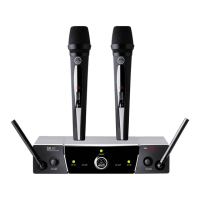
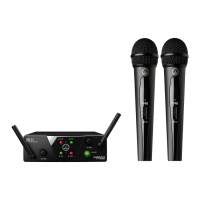
AKG WMS 40
100 pages
Print Icon
To Next Page IconTo Next Page
Loading...
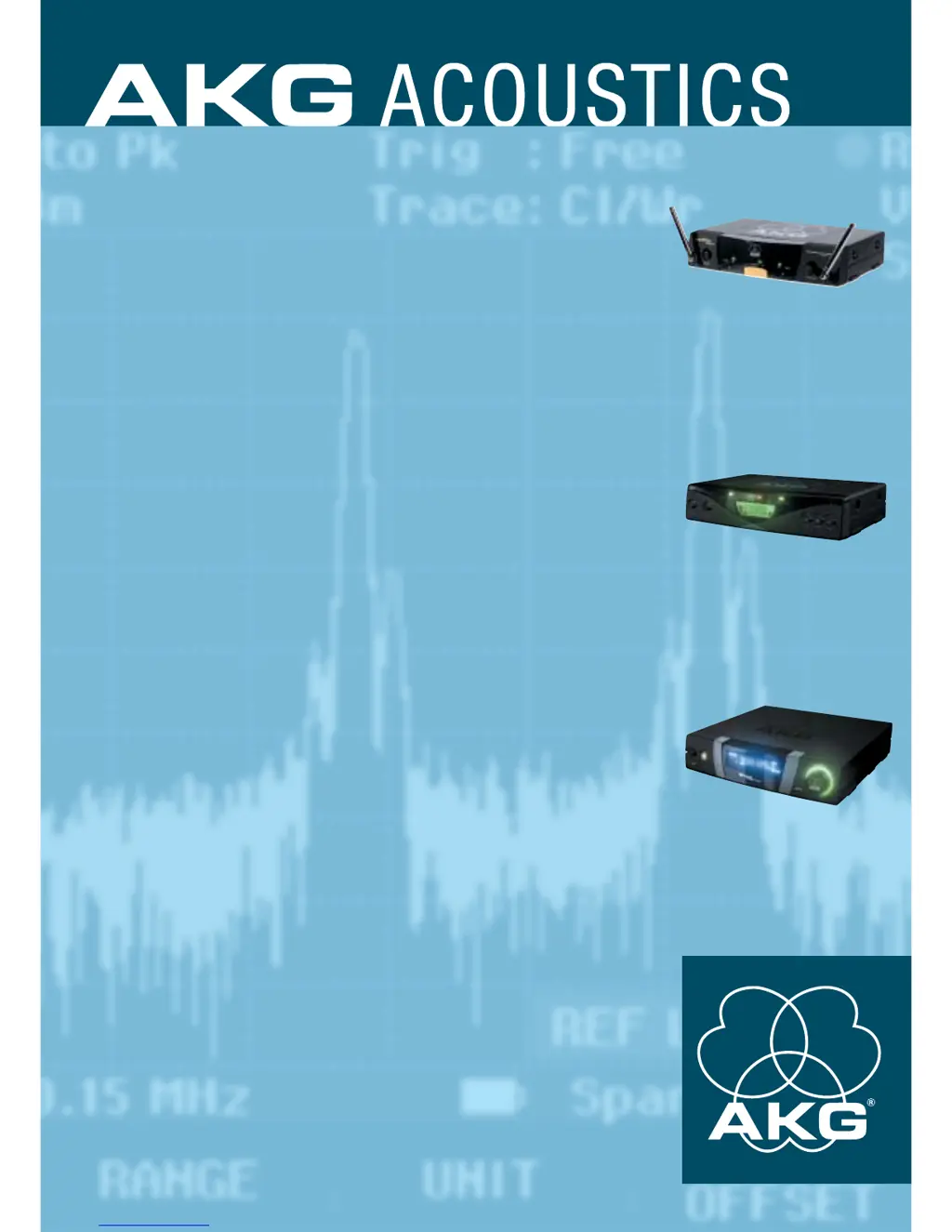
WMS 40
WMS 400
WMS 4000
Wireless
Microphone
Systems
Everything you've always wanted to know
about AKG WIRELESS TECHNOLOGY.

Other manuals for AKG WMS 40

Questions and Answers

  • J
    jessica96Jul 27, 2025
    How to troubleshoot no sound on AKG WMS 40 Microphone?
    • B
      benjaminhenryJul 27, 2025
      If your AKG Microphone isn't producing any sound, there are several potential causes: * **Power Supply Issues:** Ensure phantom power is switched on or replace the power supply. For wireless systems, verify that both the receiver and transmitter are powered on and that the batteries are fresh. * **Cable/Radio Link Problems:** Check the cable connection or, for wireless mics, ensure the transmitter and receiver are set to the same frequency. * **Signal Path Configuration:** Make sure the microphone channel is open and the gain is properly adjusted. If using a receiver, set the squelch threshold to the minimum.
  • L
    Loretta MartinezJul 30, 2025
    Why is the audio quality of my AKG Microphone poor?
    • T
      thompsonvictorJul 30, 2025
      Poor audio quality from your AKG Microphone can stem from several factors: * **Weak Signal:** Try cleaning the contacts with contact spray, reducing the distance between the transmitter and receiver, repositioning the transmitter or receiver, using active (directional) antennas, or adding boosters. * **Hum, Whistle, or Other Noise:** Change the cable routing, select different frequencies, eliminate interference sources, switch off unwanted transmitters, increase distance from RF sources or reduce RF output. Also, ensure the transmitter is at least 2 feet (1/2 m) away from metal fabric and loose coins.
  • M
    Michael SchroederAug 4, 2025
    What to do if AKG WMS 40 signal quality deteriorates on movement?
    • S
      sandra07Aug 4, 2025
      If the signal quality of your AKG Microphone deteriorates when moving, consider these possible causes and solutions: * **Dropout or Deep Fade:** Secure the cable strain relief, reposition the transmitter/receiver or use active (directional) antennas. * **Extremely Inconsistent Signal Quality:** Repair solder joints or equipment, switch off unwanted transmitters, increase distance from sources of interference, select clean frequencies, reposition receiving antennas, use active (directional) antennas, or add boosters.
  • P
    porterjohnAug 12, 2025
    What to do if my AKG Microphone system has noise, crackling, or unwanted signals?
    • W
      wthompsonAug 13, 2025
      If you are experiencing noise, crackling, or unwanted signals, the issue could be related to antenna placement. Try relocating the receiver. It could also be due to interference from other wireless systems, TV, radio, CB radios, or defective electrical appliances or installations. Try switching off potential sources of interference or defective appliances. You could also use a WMS 40 SINGLE/DUAL tuned to a different frequency or have your electrical installation checked.
  • R
    richardsimmonsAug 17, 2025
    How to fix distortion on my AKG WMS 40 system?
    • C
      Christine ReynoldsAug 17, 2025
      Distortion can be caused by a GAIN control that is set too high or too low (bodypack transmitter only). Adjust the GAIN control to stop the distortion. Another cause can be interference from other wireless systems, TV, radio, CB radios, or defective electrical appliances or installations. You can switch off interference sources or defective appliances or use a WMS 40 SINGLE/DUAL tuned to a different frequency; have electrical installation checked.
  • J
    Jonathan HoganAug 21, 2025
    What to do if my AKG WMS 40 Microphone system has momentary loss of sound at some locations?
    • R
      rmayAug 22, 2025
      Momentary loss of sound, also known as dropouts, can happen at certain spots due to antenna location. Relocate the receiver. If the dead spots persist, mark them and avoid those areas.
  • J
    Jeffrey MillerNov 8, 2025
    Why is there no sound coming from my AKG Microphone system?
    • K
      Karen VasquezNov 8, 2025
      There are several possible reasons for no sound: 1. The AC adapter might not be properly connected to the receiver or power outlet. Ensure it is securely connected. 2. The receiver may be switched off. Turn the receiver on using the ON/OFF switch. 3. The receiver may not be properly connected to the mixer or amplifier. Ensure that the receiver output is connected to the mixer or amplifier input. 4. The volume control on the receiver may be set to zero. Increase the volume. 5. The microphone or instrument may not be connected to the bodypack transmitter. Ensure that it is securely connected to the audio input on the bodypack. 6. The transmitter and receiver color codes may not match. Use a receiver and transmitter with matching color codes. 7. The transmitter on/off switch may be se...

Summary

AKG Preface

Wireless Technology for the Future

Overview of AKG's pioneering role and the benefits of wireless technology.

AKG History

AKG - A Legendary Brand

The founding and development of AKG as a renowned audio manufacturer.

AKG WMS Basics: How Wireless Technology Works

AKG WMS Basics: Signal Propagation

Signal Propagation Principles

Understanding signal path, obstacles, reflection, and scattering in transmission.

Positioning the Receiver

Best practices for receiver placement to ensure optimal signal reception.

AKG WMS Basics: Transmission Principles

How Radio Signals Are Transmitted

The physics of electromagnetic waves and their use in wireless communication.

AKG WMS Basics: Signal Characteristics

Frequency Modulation (FM)

How audio signals are converted and transmitted using frequency modulation.

AKG WMS Overview: WMS 40 Modular System

Modular Solutions for Individual Requirements

Tailoring wireless systems with AKG's modular WMS 40 series.

Lead and Backing Vocals Solutions

Options for handheld, head-worn, and snap-on transmitters for vocalists.

AKG WMS Overview: System Applications

Presenter Solutions

The MP 40 micropen and related accessories for presenters.

Aerobics and Sports Solutions

Head-worn microphones designed for high-mobility activities.

Instrument Solutions

Wireless systems and microphones for various musical instruments.

AKG WMS 40 UHF for Vocals

Handheld Mics for Lead and Backing Vocals

Detailed description of the HT 40 handheld transmitter for vocalists.

AKG WMS 40 UHF for Vocals: Transmitter Operation

AKG WMS 40 UHF for Vocals: Head-Worn Mics

Head-Worn Mics for Lead and Backing Vocals

Overview of C 420 L and C 444 L head-worn microphones for mobility.

AKG WMS 40 UHF for Vocals: Transmitter and Receiver Details

AKG WMS 40 UHF for Vocals: Snap-On Transmitter

SO 40 Snap-On Transmitter Converts Hardwire Mics to Wireless

Using the SO 40 snap-on transmitter to convert wired microphones to wireless.

AKG WMS 40 UHF for Vocals: Snap-On Transmitter Operation

AKG WMS 40 UHF for Presenters: TM 40 System

The TM 40: Modular System for Sophisticated Stage Applications

Introducing the TM 40 transmitter module for versatile stage use.

AKG WMS 40 UHF for Vocals: Microphone Options

Wireless and Supremely Flexible Microphone Choices

Overview of Emotion/Tripower Series microphones compatible with TM 40.

AKG WMS 40 UHF for Presenters: MP 40 Micropen

The MP 40 Micropen for Presenters

Versatile MP 40 micropen designed for presentations and lectures.

AKG WMS 40 UHF for Presenters: MP 40 Usage

AKG WMS 40 UHF for Presenters: System Configurations

More Goodies for Presenters

Connecting C 444 L/C 417 L with PT 40, HT 40, and SO 40 transmitters.

AKG WMS 40 UHF for Presenters: Microphone Details

Avoiding Feedback

Techniques to prevent feedback in live sound situations.

AKG WMS 40 UHF for Aerobics;Sports: Mobility Systems

Wireless Systems for Maximum Mobility

AKG WMS 40 Sports System for efficient communication in fitness and sports.

AKG WMS 40 UHF for Aerobics: System Usage

AKG WMS 40 UHF for Instruments: Radio Links

Radio Links for Portable Instruments

AKG MicroMic Series microphones for acoustic instruments with PT 40 transmitter.

AKG WMS 40 UHF for Instruments: Microphone Options

AKG WMS 40 UHF for Guitar & Bass: Guitarbug System

The GB 40 Guitarbug for Guitar and Bass

Introducing the GB 40 guitarbug transmitter for guitars and basses.

AKG WMS 40 UHF for Guitar & Bass: Guitarbug Usage

AKG WMS Multichannel Technology: How It Works

How Multichannel Technology Works

Fundamental principles of multichannel wireless systems.

AKG WMS Multichannel Technology: Interference

AKG WMS Multichannel Technology: Troubleshooting

AKG WMS Multichannel Technology: Signal Integrity

AKG WMS Multichannel Technology: Troubleshooting Hints

Troubleshooting Hardwire and Wireless Microphones

Common problems and solutions for microphone audio and signal quality issues.

AKG WMS 400 Receiver: Introduction

The First Step to Professional Multichannel Technology

Overview of the SR 400 true diversity receiver's capabilities.

AKG WMS 400 Receiver: System Setup

AKG WMS SR 400 Receiver: Operating Modes

Receiver Operating Modes: Auto Setup, Preset, Infrared

Navigating and using the SR 400 receiver's various operating modes.

AKG WMS 4000 Transmitters: Handheld and Bodypack

Handheld and Bodypack Transmitters for Limitless Options

Features and benefits of the HT 4000 and PT 4000 transmitters.

AKG WMS PT 4000 Transmitter: Operational Details

AKG WMS CU 4000 Charger: CU 4000

The AKG WMS 4000 Series Charger: The User Friendly Quick Charger

Overview of the CU 4000 charger for WMS 4000 transmitters and battery packs.

AKG WMS 4000 Antenna Splitter: PS 4000

The Indispensable Component for Large Wireless Systems

Introduction to the PS 4000 antenna splitter for complex antenna networks.

AKG WMS Multichannel Technology: Setting Up Systems

AKG WMS Multichannel Technology: System Configuration

Setting Up Multichannel Systems

Practical advice for configuring multichannel wireless systems.

AKG WMS Multichannel Technology: System Planning

Modular Solutions for Professional Requirements

Planning multichannel systems using AKG's modular components.

AKG WMS Antenna Technology: Antenna Usage

How to Use Antennas

Guidelines for selecting, placing, and using antennas for optimal signal quality.

AKG WMS Antenna Technology: Cable and System Setup

AKG WMS Antenna Technology: Antenna Placement

Selecting, Placing and Using Antennas

Key considerations for antenna selection and placement for optimal performance.

AKG WMS Antenna Technology: Complex Systems

Selecting, Placing, and Using Antennas

Detailed guide on antenna selection, placement, and cable management.

AKG WMS Antenna Technology: Stadium Examples

AKG WMS 4000 Overview: Modular System

The WMS 4000 Modular System

Introduction to the innovative WMS 4000 modular wireless system.

AKG WMS 4000 Series Components

AKG WMS 4000 Transmitters: HT 4000

HT 4000 Handheld and Bodypack Transmitters for Limitless Options

Features and benefits of the HT 4000 and PT 4000 transmitters.

AKG WMS 4000 Receiver: SR 4000 Overview

The Cutting-Edge True Diversity Receiver

Introduction to the SR 4000 true diversity receiver's advanced features.

AKG WMS 4000 Receiver: System Operation

Receiver Operating Modes and Functions

Using Auto Setup, Environment Scan, Rehearsal Mode, and multichannel capabilities.

AKG WMS 4000 Charging System: BP 4000 Battery Pack

BP 4000 Intelligent Quick-Replacement Battery Pack

Features of the BP 4000 battery pack with smart battery management.

AKG WMS 4000 Charging System: CU 4000 Charger

The Intelligent Way to Power WMS 4000 Transmitters

Overview of the CU 4000 charging unit for powering transmitters and battery packs.

AKG WMS Mobile Charging Units: CU 4000 and BP 4000

AKG WMS PS 4000 Antenna Splitter: Cable Management

AKG WMS 4000 Antennas and Accessories

Antennas Tailored to Every Situation

Overview of AKG antennas and accessories for WMS 4000 systems.

AKG WMS 4000 Antennas and Accessories: Component Details

AKG WMS HUB 4000: Network Concentrator

The Link Between the WMS 4000 and a PC Network

Connecting WMS 4000 systems to PCs and networks via the HUB 4000.

AKG WMS 4000 Mission Control Software: Computer Control

Your Computer as a WMS 4000 Control Center

Using MCS 4000 software for system display, editing, and remote control.

AKG WMS Practical Examples: 8-Channel Seminar Setup

WMS 4000 8-Channel Setup

Example of an 8-channel system for variable seminar room arrangements.

AKG WMS Practical Examples: 8-Channel System Diagram

WMS 4000 8-Channel Setup Diagram

Schematic illustrating the interconnection of components for an 8-channel seminar system.

AKG WMS Practical Examples: 10-Channel Tour Sound Setup

WMS 4000 10-Channel Setup

Example of a 10-channel system optimized for tour sound applications.

AKG WMS Practical Examples: 10-Channel System Diagram

WMS 4000 10-Channel Setup Diagram

Schematic illustrating the interconnection of components for a 10-channel tour sound system.

AKG WMS Practical Examples: 16-Channel Mobile Setup

WMS 4000 16-Channel Setup

Example of a 16-channel system designed for mobile use.

AKG WMS Practical Examples: Mobile Rack and Wiring

AKG WMS Practical Examples: 16-Channel Mobile Setup Diagram

WMS 4000 16-Channel Setup Diagram

Schematic illustrating the interconnection of components for a 16-channel mobile system.

AKG WMS Practical Examples: Mobile System Layout

WMS 4000 Mobile Rack and Wiring

Visual representation of the WMS 4000 mobile rack and its internal wiring.

AKG WMS Practical Examples: 46-Channel Opera House Setup

WMS 4000 46-Channel Setup

Example setup for a 46-channel system in an opera house.

AKG WMS Practical Examples: Opera House System Diagram

WMS 4000 46-Channel Setup Diagram

Schematic showing the wiring and component layout for a 46-channel opera house system.

AKG WMS Practical Examples: 1-Channel Architectural Setup

WMS 4000 1-Channel Setup

Example of a 1-channel system for specific architectural requirements.

AKG WMS Practical Examples: 1-Channel System Diagram

WMS 4000 1-Channel Setup Diagram

Schematic illustrating the component interconnections for a 1-channel architectural system.

AKG Micro Mics for Instruments: Pickup Placement

How to Place Wireless Pickups on Portable Instruments

Tips and techniques for placing AKG Micro Mic pickups on various instruments.

AKG Micro Mics for Instruments: Pickup Techniques

AKG WMS Overview: Application Guide

Application Guide

Recommendations for AKG wireless systems based on application type.

AKG WMS Overview: Wireless Systems at a Glance

AKG Wireless Systems at a Glance

Comparison chart of AKG wireless system features for receivers and transmitters.

AKG WMS Overview: Specifications

AKG WMS Overview: System Specifications

AKG WMS Overview: System Specifications Summary

AKG WMS Overview: Microphone Specifications

Specifications: All the Specs at a Glance

Detailed technical specifications for AKG microphones and elements.

AKG WMS Glossary: Definitions A to Z

AKG WMS Glossary: Technical Terms

AKG WMS Glossary: Operational Terms

Glossary: Definitions from A to Z

Alphabetical list of terms and definitions related to AKG wireless systems.

AKG WMS Index: Selected Keywords

Index: Selected Keywords

An index of selected keywords with corresponding page numbers for quick reference.

AKG WMS 40 Specifications

General IconGeneral
ModulationFM
RF Output Power10 mW
System TypeWireless
Audio Bandwidth20 Hz - 20 kHz
TypeDynamic
Polar PatternCardioid
ConnectorXLR

Related product manuals