EasyManua.ls Logo

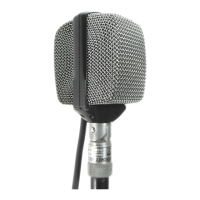
AKG D 40 - User Manual

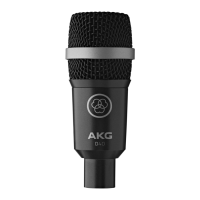
AKG D 40
68 pages
Go to English
Print Icon
To Next Page IconTo Next Page
Loading...
D40
BEDIENUNGSANLEITUNG . . . . . . . . . .S. 2
Bitte vor Inbetriebnahme des Gerätes lesen!
USER INSTRUCTIONS . . . . . . . . . . . . . . .p. 13
Please read the manual before using the equipment!
MODE D’EMPLOI . . . . . . . . . . . . . . . . . . . . .p. 24
Veuillez lire cette notice avant d’utiliser le système!
ISTRUZIONI PER L’USO . . . . . . . . . . . . .p. 35
Prima di utilizzare l’apparecchio, leggere il manuale!
MODO DE EMPLEO . . . . . . . . . . . . . . . . . . .p. 46
¡Sirvase leer el manual antes de utilizar el equipo!
INSTRUÇÕES DE USO . . . . . . . . . . . . . . .p. 57
Favor leia este manual antes de usar o equipamento!

Table of Contents

Other manuals for AKG D 40

Questions and Answers

  • R
    Randy HigginsJul 25, 2025
    What to do if my AKG D 40 Microphone has no sound?
    • D
      Denise FitzpatrickJul 25, 2025
      If your AKG Microphone isn't producing any sound, here are a few things to check: 1. Ensure that the power to your mixer or amplifier is switched on. 2. Make sure that the channel or master fader on the mixer, or the volume control on the amplifier, is set to an audible level. 3. Verify that the microphone is properly connected to the mixer or amplifier. 4. Check all cable connectors to ensure they are securely seated. 5. Inspect the cable for any damage and replace it if necessary.
  • T
    Timothy ValdezAug 5, 2025
    Why is there no sound coming from my AKG Microphone?
    • L
      Leslie EricksonAug 5, 2025
      If you're not getting any sound from your AKG Microphone, the issue could be due to several reasons: * The power to the mixer or amplifier might be off. Ensure it's switched on. * The channel or master fader on the mixer, or the volume control on the amplifier, could be set too low. Adjust them to the desired level. * The microphone might not be properly connected to the mixer or amplifier. Check the connection. * Loose cable connectors can cause sound issues. Make sure they are securely seated. * A defective cable can also be the culprit. Inspect the cable and replace it if damaged.
  • P
    patrickmooreAug 15, 2025
    How to fix an AKG D 40 with no sound?
    • M
      Matthew EdwardsAug 15, 2025
      To troubleshoot an AKG Microphone that isn't producing sound: 1. First, check if the mixer and/or amplifier are powered on. If not, switch them on. 2. Next, verify that the channel or master fader on the mixer, or the volume control on the amplifier, isn't set to zero. Adjust it to the desired level. 3. Ensure the microphone is correctly connected to the mixer or amplifier. 4. Also, check that all cable connectors are securely seated. 5. Finally, inspect the cable for any damage; if it's defective, replace it.

Summary

1 Precaution;Description

1.1 Precaution

Ensure equipment complies with safety regulations and has a ground lead.

1.2 Packing List

Verify all listed components are present in the packaging.

1.3 Optional Accessories

Refer to AKG catalog or website for optional accessories.

1.4 Features

Key features: tailored frequency response, integrated swivel adapter, H 440 bracket, windscreen.

2 Interfacing

Balanced vs. Unbalanced Connections

Connecting the microphone to balanced or unbalanced inputs using XLR or XLR to TS cables.

3 Using Your Microphone

3.1 Introduction

Experiment with microphone placement for optimal sound; proximity effect boosts bass.

3.2 Saxophone

Placement advice for saxophone: middle for key noise, bell rim for less wind noise.

3.3 Trumpet

Aim at bell rim to prevent overload distortion; use windscreen for blowing noise.

3.4 Guitar Amp

Place microphone 2-6 inches from speaker diaphragm, aiming at the center.

3.5 Tom-toms, Roto-toms, Snare Drum

Mounting on drum using H 440 bracket; tape felt to head to reduce ringing.

3.6 Bongos, Congas, Timbales

Place close to drums between them, or use two mics in a 'V' formation.

4 Cleaning

5 Troubleshooting

6 Specifications

AKG D 40 Specifications

General IconGeneral
BrandAKG
ModelD 40
CategoryMicrophone
LanguageEnglish

Related product manuals