2020/11/30 23:55 3/3 MyCloud Mini
MyAkitio Wiki - http://wiki.myakitio.com/
device and remove the power supply from the wall socket.
HDD Installation
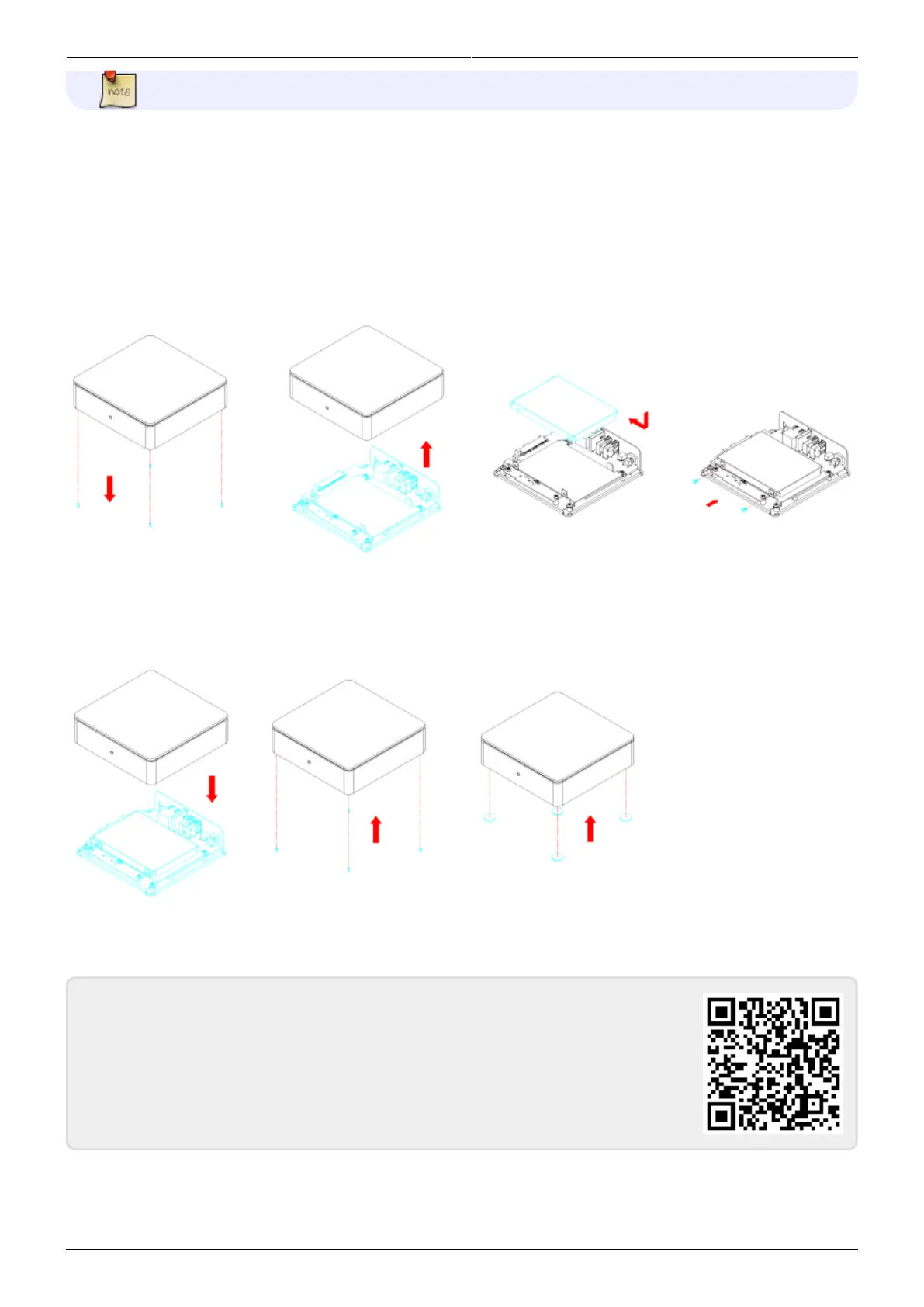
Remove the screws on the bottom of the case and lift up the top of the enclosure. Install the hard
drive in the HDD chassis and fasten the screws on the side to hold it in place.
Replace the top enclosure. Fasten the screws on the bottom of the case, place the rubber feet over
the screws and stick them on the casing to cover the screws.
From:
http://wiki.myakitio.com/ - MyAkitio Wiki
Permanent link:
http://wiki.myakitio.com/mycloud_mini
Last update: 2014/12/23 17:38


 To Previous Page