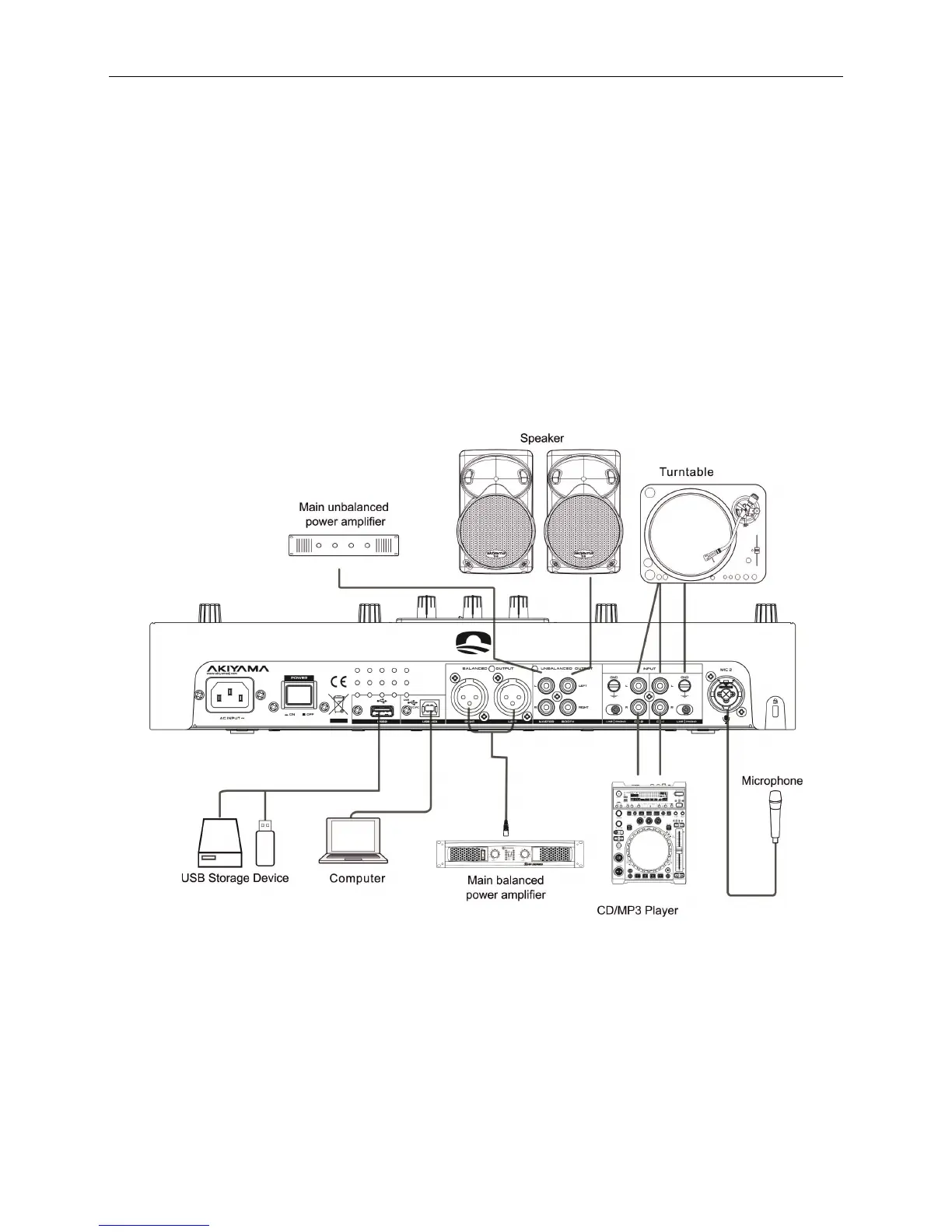
Syncron User Manual. Connections.
3
CONNECTIONS
ATTENTION. Be sure to unplug the computer before connecting the cables, otherwise it could damage the equipment.
1. Before making or changing connections, turn the device off and disconnect the power cord from the outlet.
2. We recommend using quality cables. You get a big difference in fidelity of reproduction.
3. Do not use excessively long cables. Make sure the footage of them are secure. Loose connections can cause hum, noise or flashing that could
damage the speakers.
4. Connect the RCA cables (unbalanced) or XLR (balanced) inputs to your amplifier.
NOTE: Be sure to use the supplied power cable. The use of another type of cable can cause damage to equipment.



 To Next Page