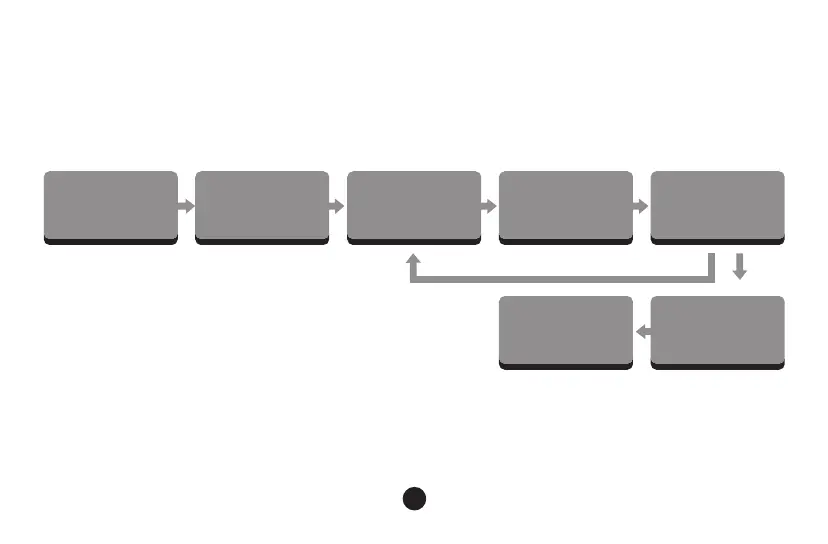
Enter Macro Mode Start Macro Editor Macro Recording Fn + Custom Key
Exit Macro EditorExit Macro Mode
Fn + Custom Key
Record the next Key
Back to Default Mode
Fn+Esc
Long Press Fn +Left Win
Fn+Esc
(End Recording)
Akko Macro V1.0
Macro Setup Instruction 2
(Press Keys to Store)
14
Clear Macro:
If a key has been defined, after entering the Macro editor, you can press “FN + the key” to
clear its definition.
If you want to re-customize that key, press “FN + the key”again to start the new Macro
recording after clearing its old definition.



 To Next Page