Need help?
Do you have a question about the Akko 3087 Series and is the answer not in the manual?
Accesses the File Explorer.
Opens the default email client.
Initiates Windows search.
Opens the default web browser's homepage.
Controls media playback functions.
Controls media playback, toggling play/pause.
Skips to the previous track in media playback.
Disables Windows key functionality to prevent accidental interruptions.
Resets the keyboard to its default factory configuration.
Macro functionality is hardware-based and operates without drivers.
Lists keys like Esc, Fn, Win that cannot be programmed for macros.
Explains how to enter and exit Macro mode using Fn+Win.
Notes that simultaneous key presses are triggered sequentially, not at once.
States that custom delay times between macro key presses are not supported.
 General
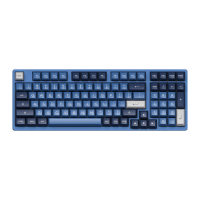
| Keycap Material | PBT |
|---|---|
| Hot-swappable | Yes |
| Case Material | Plastic |
| Compatibility | Windows, Mac OS |
| Layout | 87-key |
| Switch Type | Akko CS Switches |
| Connection | USB Type-C |
| Keycap Profile | OEM Profile |
| Weight | 900g |
| Backlight | No Backlight |


 To Next Page