Need help?
Do you have a question about the Akko MOD 007 and is the answer not in the manual?
Explains F1-F5 key combinations for system functions like File Explorer and Media.
Details F6-F8, I, and P key combinations for media control and screen print.
Covers Fn key combinations for calculator, mute, volume control, and WASD swap.
Describes key combinations for locking Win key, factory reset, and Ctrl to Menu.
Explains how to switch between Windows and Mac system modes using key combinations.
Details F1-F4 key combinations for Mac display brightness, mission control, and Siri.
Lists F7-F12 key combinations for Mac media control and volume adjustment.
Outlines functions for Left Win, Left Alt, and Fn key combinations in Mac mode.
Explains Fn+Del, Ins, PgUp, PgDn, L key combinations for selecting backlight effects.
Details Fn+↑, ↓, ←, →, -, + key combinations for adjusting backlight.
Describes how to adjust backlight color to single colors or RGB loop effect.
States that key/lighting customization requires the Akko driver software.
Explains wired mode lighting effects synchronized with music via the driver.
Provides instructions to download the "Akko Cloud" driver from the official website.
Outlines the 1-year warranty for non-man-made damage for Akko mechanical keyboards.
Details repair costs after warranty and user responsibility for self-repair.
Advises on handling precautions and provides after-sales service contact information.
 General
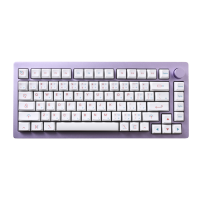
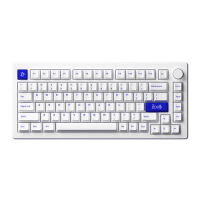
| Layout | 75% |
|---|---|
| Keycap Material | PBT |
| Backlight | RGB |
| Stabilizers | Plate-mounted |
| Case Material | Aluminum |
| Mounting Method | Gasket mount |
| Interface | USB Type-C |
| Weight | 1.2 kg |
| Switch Type | Hot-swappable (supports 3-pin and 5-pin switches) |

 To Next Page