
 Need help?
Do you have a question about the AL-Car EASISAT 4.0 and is the answer not in the manual?
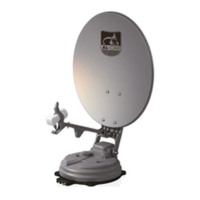
Provides an overview of the EASISAT 4.0/4.5 satellite system functions and operation.
Details the intended use, limitations, and manufacturer's specific operating instructions.
Outlines essential safety precautions and user responsibilities for operating the EASISAT system.
Guides users on how to prepare the EASISAT system for initial operation and checks.
Explains the procedure for locating and locking onto target satellites.
Details how to configure DiSEqC 1.1 settings for satellite selection and reception.
Describes the STB power detection function, including how to enable or disable it.
Explains the meaning of error message LEDs and their corresponding error details.
Provides step-by-step instructions for performing a factory reset on the controller.
Details the procedure for upgrading the system's software via a USB stick.
Addresses issues where the controller does not power on or function correctly.
Provides solutions for when the system cannot find or lock onto the selected satellite.
Offers troubleshooting steps for antenna movement or noise issues.
Covers other miscellaneous issues, including wiring and improper setup problems.
Presents the physical dimensions and size specifications for both EASISAT 4.0 and 4.5 models.
Lists detailed technical specifications like frequency, polarization, LNB, and power consumption.
Details the necessary space requirements for installing the EASISAT 4.0/4.5 on vehicles.
Lists the tools and equipment required for the installation process.
Provides step-by-step instructions for mounting the EASISAT system onto a vehicle roof.
 General
| Brand | AL-Car |
|---|---|
| Model | EASISAT 4.0 |
| Category | Satellite TV System |
| Language | English |

 To Next Page
