Installing the Hardlock Drivers
2
Installing the Hardlock Drivers
The appropriate drivers must be installed in order to use the Hardlock
modules. To do this, run HLDRV32.EXE.
To use Hardlock Internal PCI and Hardlock Server Internal PCI you need
to install at least HARDLOCK.VXD 2.50 and HARDLOCK.SYS 2.50. The
version numbers display when you run HLDRV32.EXE. Contact your
software vendor if you have any doubts or meet any problems.
Note Driver installation may already have been integrated in the
installation routine for the protected software. This means
there is no need to perform the installation again. Contact
your software vendor if you have any doubts.
Preparing the Hardware
1. Use a wrist grounder to ground yourself or briefly touch a metal part of
the computer housing.
2. Carefully unpack the card. Avoid touching any components or
connection contacts when doing this. If you do, there is a risk of
irreparable damage to components due to static discharges.
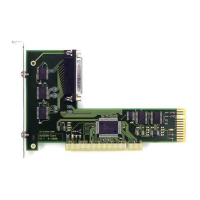
3. If required connect additional protection modules to the parallel port
on the card and tighten the screws.
Note: We cannot guarantee that it will be possible to daisy-chain
protection modules made by other manufacturers.
4. Use the supplied cable to connect the last protection module to the
slot cover on the card. This step is only necessary if you wish to use
the card externally as an extra parallel port.


 To Next Page