EasyManua.ls Logo

alatech OB001 - User Manual

alatech OB001
2 pages
Print Icon
To Next Page IconTo Next Page
Loading...
Please charge the sensor for the first use and when the battery is low (Green
flashing LED). Please make sure the charging station and charge terminals at
sensor back are clean and dry before charging to prevent any poor connection.
Put the sensor back facing down to align the charge contacts with the charge
terminals; refer to Fig. A.
Lock the sensor on the side close to the USB cable on charging station and
then lock on the other side; refer to Fig. B.
Connect the USB to a wall charger or your computer.
The green indicator will continuously flash when charging. The light will be
constantly ON when the charge is completed.
Take out the sensor from the charging station by sliding up or down; refer to
Fig. C.
OB001 OPTICAL
HEART RATE ARMBAND
Quick Start Guide
FEATURES
IN THE BOX
HOW TO CHARGE
1
2
3
4
5
Dual mode technology
Compatible with sport watch /Cycling computer /fitness equipment and smart
device with Bluetooth 4.0, ANT+; also work with most Bluetooth Smart Fitness
Apps.
Storage function
The built-in memory can independently record and store heart rate data and
SPM(Steps per minutes); no need to bring the smartphone or wear the watch
when exercising. After exercising, the user can synchronize the data to Ala
Connect through Bluetooth to review the training overview.
Lightweight and comfortable
The sensor and armband are less than 20 grams; can be worn on the forearm or
upper arm.
1
2
3
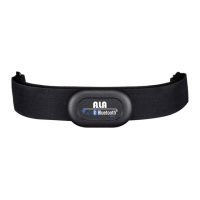
Sensor
Armband
USB charging station
4
5
Quick guide
Warranty card
3
2
1
LED indicators
Button
Charge terminals
Lock on
Lock on first
Charging
contacts
Charging
terminals
LED
Indicators
ABC
Scan QR Code or search for Ala Connect on
Apple Store or Google Play and download.
Long press the sensor to activate (long
press until the red indicator is ON).
Open Ala Connect and add device
according the instructions. User’s age will
be written into the sensor automatically
after the device is successfully added.
Wear the sensor and go out for exercise.
After the exercise, open Bluetooth and Ala
Connect on your mobile device to
synchronize your training data wirelessly.
The uploaded training data will be stored in
the cloud. Log in cloud.alatech.com.tw to
check your activity report and results.
APP USE AND SENSOR PAIRING
1
2
3
4
5
6
System requirements of APP
installation:
Support iOS 9 or above
Support Android 4.4 or above
• Built-in Bluetooth
TM
4.0 or above
* Also compatible with other apps,
such as Strava and Wahoo fitness.
Velcro
Fuzzy side facing the outside
To ensure accurate cadence
detection, wear the sensor on
the inside of the forearm.
Slide both ends of the armband through the
buckles at both ends of the sensor.
Wear the sensor on the inside of forearm or
upper arm. Please do not wear on the wrist
and avoid any tattoo and hair.
Adjust the tightness to make sure the sensor
fits the arm.
HOW TO WEAR
1
2
3


Other manuals for alatech OB001

Question and Answer IconNeed help?

Do you have a question about the alatech OB001 and is the answer not in the manual?

Overview

The OBOOI Optical Heart Rate Armband is a versatile fitness tracking device designed for monitoring heart rate and steps per minute (SPM) during various activities. It features dual-mode technology, allowing compatibility with a wide range of devices and applications.

Function Description:

The armband serves as a heart rate monitor and activity tracker. Its dual-mode technology enables connection via Bluetooth 4.0 and ANT+ to sport watches, cycling computers, fitness equipment, and smart devices. It also works with most Bluetooth Smart Fitness Apps. A key feature is its built-in memory, which can independently record and store heart rate and SPM data for up to 30 hours of training. This eliminates the need to carry a smartphone or wear a watch during exercise. After a workout, users can synchronize the stored data to the "Ala Connect" app via Bluetooth to review their training overview. The device is lightweight and comfortable, weighing less than 20 grams (excluding the armband), and can be worn on the forearm or upper arm.

Important Technical Specifications:

  • Model: OB001
  • Dimensions (Sensor): L 48 × W 31.5 × D 12.5 mm
  • Armband: L 380 × W 25 mm
  • Weight (Sensor): 13g (armband excluded)
  • Memory Capacity: Up to 30 hours training data
  • Operating Temperature: -10 to 60°C (14 to 140°F)
  • Charge Temperature: 10 to 45°C (50 to 113°F)
  • Wireless Transmission Interface: Bluetooth 4.0/ANT+
  • Wireless Transmission Frequency: 2.402 to 2.480 GHz
  • Battery: Rechargeable lithium battery
  • Input Voltage: 5V
  • Run Time: 40 consecutive hours (maximum)

Usage Features:

  • Charging: The sensor is charged using a USB charging station. It's recommended to charge the device fully before first use. The green LED indicator flashes during charging and remains constantly ON when fully charged. The charging contacts on the sensor and station should be clean and dry to ensure a good connection.
  • Activation & Standby: To power on, long-press the button until the red indicator is ON. The device will then enter standby mode, indicated by a constant blue light. If there's no operation or connection for over 3 minutes, the sensor will automatically turn off.
  • Independent Training Device Mode:
    • Start Recording: Short press the button (blue LED blinks).
    • Stop Recording: Short press the button (blue LED remains constant ON).
    • Data Synchronization: Recorded data can be uploaded to Ala Connect via Bluetooth.
  • Accessory Mode (Paired with Compatible Devices):
    • Heart Rate Detected: Blue LED remains constant ON.
    • Heart Rate Not Detected: Blue LED flashes.
  • LED Indicators: The device uses green, red, and blue LEDs to indicate various statuses. The blue/red LED flash frequency varies according to the user's heartbeat in different heart rate zones (Warm Up, Easy, Aerobic, Threshold, Maximum).
  • APP Use and Sensor Pairing:
    1. Download the "Ala Connect" app from Apple Store or Google Play.
    2. Long-press the sensor button until the red indicator is ON to activate.
    3. Open Ala Connect and add the device. User's age will be automatically written to the sensor.
    4. Wear the sensor and begin exercise.
    5. After exercise, open Bluetooth and Ala Connect on your mobile device to synchronize training data wirelessly.
    6. Uploaded data is stored in the cloud and can be accessed via cloud.alatech.com.tw for activity reports.
  • APP System Requirements:
    • iOS 9 or above
    • Android 4.4 or above
    • Built-in Bluetooth™ 4.0 or above
    • Also compatible with other apps like Strava and Wahoo fitness.
  • Wearing Instructions:
    1. Slide both ends of the armband through the buckles on the sensor.
    2. Wear the sensor on the inside of the forearm or upper arm, avoiding the wrist, tattoos, and hair.
    3. Adjust the tightness to ensure the sensor fits snugly on the arm for accurate cadence detection. The fuzzy side of the armband should face the outside.

Maintenance Features:

  • Cleaning:
    • To ensure accurate readings, clean the sensor lens with a soft and dry cloth.
    • The armband should be washed with warm water (under 40°C).
    • DO NOT use brightener, soap, or softener.
    • DO NOT soak, iron, dry clean, bleach, or twist the armband.
  • Low Battery Indication: The green LED flashes when the battery is low. Note that the low battery light will not be ON if the sensor is actively recording or connected to Bluetooth.

alatech OB001 Specifications

General IconGeneral
Brandalatech
ModelOB001
CategoryHeart Rate Monitor
LanguageEnglish

Related product manuals