
 Need help?
Do you have a question about the Alba ALTVDI711701 and is the answer not in the manual?
Critical safety warnings for electric shock, fire, battery, and environment.
Instructions for unit placement, airflow, and avoiding extreme environments.
Safe cord handling, power disconnection, and preventing liquid contact.
Handling condensation and location of the unit's rating plate.
Guidelines for mains plug usage, wiring, and fuse replacement.
Acclimatising unit after temperature changes to prevent condensation.
Tips for safe operation: manual, installation, ventilation, and handling.
Compatible disc formats and DVD region code compatibility.
Explanation of DVD icons, titles, chapters, and tracks.
Unavailable functions, unauthorized discs, and copyright information.
Guidance on remote control usage, sensor placement, and effective distance.
Instructions and warnings for replacing remote control batteries.
Detailed descriptions of remote control buttons 1 through 21.
Detailed descriptions of remote control buttons 22 through 38.
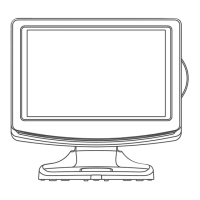
Visual guide to unit's front, rear, and side views, identifying controls and ports.
Detailed explanations for each numbered control and connection port.
Instructions for connecting TV antenna, cable, or satellite signals.
Steps for connecting the AC power cord to the unit and wall outlet.
How to turn on the unit and select desired input mode (DTV, TV, DVD, iPod, HDMI).
Guide for initial setup, language selection, and automatic channel tuning.
How to access and use the EPG to view TV programme schedules.
Selecting audio language, format, and sound track for DTV broadcasts.
Accessing and navigating the main TV setting menu for configurations.
Editing, deleting, renaming, moving, skipping, or favouriting channels.
Considerations for DVB-T reception: aerial suitability and re-tuning.
Adjusting picture parameters: brightness, contrast, colour, sharpness.
Adjusting sound parameters: treble, bass, balance, and sound modes.
Setting the clock, sleep timer, and time zone for the unit.
Configuring display, audio, subtitle languages and restoring default system settings.
Accessing lock menu for programme blocking and parental guidance.
Instructions for entering, exiting, and selecting Teletext pages.
Using fast text, mixing text with video, double height, and page stop.
Using the CI slot for Conditional Access Modules (CAMs).
Connecting VCRs or game consoles using composite AV cables.
Connecting devices with RGB output using SCART cables.
Connecting High-Definition sources using component video (YUV) inputs.
Instructions for connecting and using headphones with the unit.
Connecting HDMI devices for digital audio and video transmission.
Explanation of the Dolby Digital sound system for DVD playback.
Choosing and installing the correct iPod dock adaptor for your device.
Steps and warnings for connecting your iPod to the docking station.
Navigating and playing music files from your iPod.
Displaying photos from your iPod on the TV screen.
Specific instructions for viewing photos on an iPod Touch.
Navigating and playing video files from your iPod.
How to watch videos on iPod Classic and Nano models.
How to watch videos on an iPod Touch.
Setting Shuffle, Repeat, and Language options for your iPod.
Step-by-step guide to insert and play CDs or DVDs.
How to play image files recorded on CD-R/RW discs.
How to pause, stop, and skip tracks during disc playback.
Using fast forward, fast reverse, and slow-motion playback features.
Changing audio language and subtitle language during DVD playback.
Switching between different camera angles on a DVD.
Displaying operation status and track information on the screen.
Locating and playing specific titles, chapters, or times on a DVD.
Setting repeat playback for chapters, titles, or individual tracks.
Setting and cancelling A-B repeat for a specific section of a DVD or CD.
Creating and playing a custom sequence of titles and chapters.
Configuring OSD, audio, subtitle, and menu languages.
Adjusting video settings: brightness, contrast, hue, saturation, sharpness.
Configuring system settings: video type, password, and rating.
Changing unit password and understanding DVD rating levels for parental control.
Cleaning discs and the unit to ensure optimal performance.
Solutions for unit not powering on or remote control not functioning.
Troubleshooting for no sound, no picture, or disc errors during DVD playback.
Solutions for lost channels, digital picture blocking, and aerial recommendations.
Solutions for bad picture, black & white display, and function key issues.
Troubleshooting for HDMI audio output and iPod docking/response problems.
Details regarding the product's one-year guarantee against manufacturing defects.
Contact number for obtaining technical assistance with product operation.
Checklist to identify and confirm supplied accessories.
Contact number for ordering spare or replacement accessories.
 General
| Screen Size | 17 inches |
|---|---|
| Resolution | 1366 x 768 |
| DVD Player | Yes |
| HDMI Ports | 1 |
| USB Port | 1 |
| Weight | 4.5 kg |
| Scart Ports | 1 |
| TV Tuner | Freeview |
| Aspect Ratio | 16:9 |

 To Next Page
