EasyManua.ls Logo

Alba AMKDVD22 - User Manual

Alba AMKDVD22
32 pages
Print Icon
To Next Page IconTo Next Page
Loading...
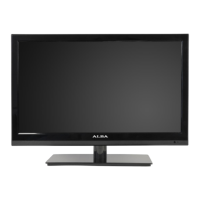
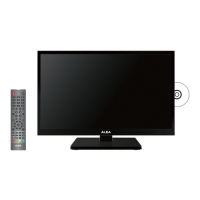
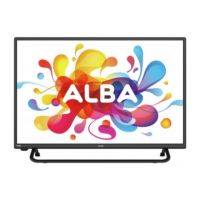
22” Full HD Digital LED TV
with integrated DVD Player
Installation & Operating Instructions
Please keep safe for future reference
114/9173 AMKDVD22
138/2947 AMKDVD22S
128/8120 AMKDVD22PK
114/6468 AMKDVD22R
122/8180 AMKDVD22W
109/7586 AMKDVD22NB
These instructions contain important information which will help you get the best from
your television and ensure safe and correct installation and operation.
For any help concerning setup and use of your TV please call the
Customer Helpline: 0845 604 0105
Lines open: 9am 8pm Monday to Saturday and 10am 4pm Sunday
Important Please read these instructions before installing or operating

Questions and Answers

  • A
    Ana HatfieldAug 15, 2025
    What to do if there is no picture but sound on my Alba AMKDVD22 LED TV?
    • C
      Cassandra HinesAug 15, 2025
      If your Alba LED TV shows no picture but you can hear sound and the green LED is lit, it may indicate a faulty backlight. In this case, you should call customer helpline at 0845 604 0105.
  • K
    Kaitlyn DavisAug 18, 2025
    Why are TV signals or channels missing on my Alba AMKDVD22?
    • A
      andrewgarciaAug 18, 2025
      If your Alba LED TV is not displaying any channels or signals, first ensure that the TV antenna is properly connected. If it is, follow the instructions from page 10 to tune the TV. Also, have your antenna signal checked, as a poor antenna signal could be the cause. If you're using an indoor antenna, consider switching to an outdoor antenna for better reception.
  • K
    Kelly BellAug 21, 2025
    Why is my Alba AMKDVD22 picture freezing and breaking up?
    • H
      Harry YoungAug 21, 2025
      If your Alba LED TV picture is freezing and breaking up (digital), it's likely due to a poor antenna signal. Consider having your antenna signal checked. If you're using an indoor antenna, it may be necessary to switch to an outdoor antenna for better reception.
  • C
    Catherine WoodAug 25, 2025
    What to do if my Alba AMKDVD22 LED TV says no signal?
    • Z
      Zachary VegaAug 26, 2025
      If your Alba LED TV shows no picture and displays 'No signal', the issue might be with incorrect input settings. Verify the source settings and consult the user guide for the device connected to your TV.
  • S
    sandrafordAug 28, 2025
    What to do if my Alba AMKDVD22 has no picture but the LED is red?
    • K
      Kimberly JohnsonAug 28, 2025
      If your Alba LED TV has no picture but the LED is lit red, the TV might be in standby mode. Press the POWER button on either the TV or the remote control to turn it on.
  • A
    Ashley DavilaAug 31, 2025
    Why is my Alba LED TV remote not working?
    • M
      Malik BentleyAug 31, 2025
      If your Alba LED TV remote control has no or intermittent operation, the batteries may be exhausted. Replace the batteries every six months or when required. Also, ensure that there is no object covering the infrared receiver on the TV, as this could also cause the issue; if there is, remove the object.
  • P
    Paula FrancoSep 4, 2025
    Why won't my Alba LED TV play the disc?
    • P
      Patty GordonSep 4, 2025
      If your Alba LED TV disc will not play, inspect the disc for any damage or dirt. If the disc is dirty, clean it as described on Page 25. Additionally, this unit is only authorized to play Region 2 discs, so if you are using a disc from another region it will not play.
  • D
    derrick01Sep 7, 2025
    What to do if Alba AMKDVD22 LED TV disc will not load?
    • C
      Carrie AndersonSep 7, 2025
      If your Alba LED TV disc will not load, make sure that DVD is selected. Press the SOURCE button and select DVD.
  • S
    stewarttylerSep 12, 2025
    Why does my Alba LED TV have bright dots on the screen?
    • J
      James MeltonSep 12, 2025
      The appearance of bright or dark dots on your Alba LED TV screen is likely due to a pixel fault. This is uncommon and is not covered by the warranty.

Alba AMKDVD22 Specifications

General IconGeneral
Screen Size22 inches
Display TypeLED
HDMI Ports1
USB Ports1
Built-in DVD PlayerYes
Resolution1366 x 768

Related product manuals