EasyManua.ls Logo

Alba 129/6693 ASMKDVD19 User Manual

Alba 129/6693 ASMKDVD19
32 pages
To Next Page IconTo Next Page
Page #1 background imageLoading...
Page #1 background image
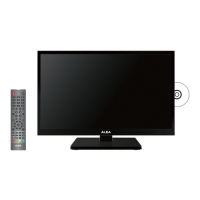
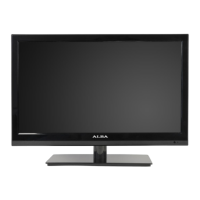
19” HD Ready Digital LED TV
with integrated DVD Player
Installation & Operating Instructions
Please keep safe for future reference
129/6693 ASMKDVD19
These instructions contain important information which will help you get the best from
your television and ensure safe and correct installation and operation.
For any help concerning setup and use of your TV please call the
Customer Helpline: 0845 604 0105
Lines open: 9am 8pm Monday to Saturday and 10am 4pm Sunday
Important Please read these instructions before installing or operating

Questions and Answers:

Alba 129/6693 ASMKDVD19 Specifications

General IconGeneral
HDMI Ports1
Built-in DVD PlayerYes
Display TechnologyLED
Aspect Ratio16:9
USB Ports1
Resolution1366 x 768 pixels
Screen Size24 inches

Summary

Safety Information

Electrical Safety Warnings

Warnings about risk of electric shock and opening the product.

Battery Safety and Disposal

Precautions for battery handling and proper disposal.

General Safety Precautions

Handling and Installation Safety

Covers unpacking, base fitting, and TV placement guidelines.

Operational and Environmental Safety

Includes ventilation, heat, moisture, connections, and usage safety.

Getting Started: Helpline

Argos Technical Helpline

Information and contact details for technical assistance and support.

Product Features

TV and DVD Features

Lists key features of the TV and integrated DVD player.

Included Accessories

Details the items included in the product package.

Remote Control Operation

Remote Control Operation

Explains the functions of each button on the remote control.

Remote Control Battery Fitting

Battery Fitting

Instructions for inserting and replacing batteries in the remote control.

TV Connections and Controls

TV Control Buttons and Inputs

Describes the TV's physical buttons and connection ports.

Connection Examples

Typical Connections

Illustrates how to connect the TV to antennas and other AV devices.

Initial Setup Process

First Time Installation Guide

Step-by-step instructions for the first-time installation and tuning process.

Initial Setup Results

Signal Status and Channel List

Displays tuning progress, signal status, and the channel list.

Basic TV Features: Menus

LCD Menu and Picture Settings

Explains picture settings like brightness, contrast, and colour.

Sound Menu Settings

Details sound adjustments for bass, treble, balance, and AVL.

Basic TV Features: Channel Management

Channel Manager Functions

Covers locking, deleting, skipping, and renaming TV channels.

Favourites Manager

Allows users to create and manage lists of favorite TV channels.

Basic TV Features: Tuning & Search

Favourite Selection and Auto Search

How to select favorite channels and perform automatic channel tuning.

Manual Search

Instructions for manually tuning TV channels and checking signal strength.

Basic TV Features: Parental Controls

Renaming Stations

Guide on how to rename TV channels using the on-screen keyboard.

Child Lock and Parental Lock

Features for parental control, locking channels, and setting age limits.

Advanced TV Features: System Settings

Key Lock and Password Setup

How to lock TV controls and manage the system password.

Language Settings

Options for OSD, subtitle, and audio language preferences.

Advanced TV Features: Time & Auto Settings

Clock, OAD, and Auto Scart

Settings for clock, firmware updates, and automatic SCART switching.

CI Info and Auto Standby

Information about CI module and automatic TV standby settings.

Advanced TV Features: Setup & Teletext

Setup Menu Options

Configuration for OSD timer, aspect ratio, blue screen, and reset.

Teletext Functionality

How to access and navigate digital teletext services.

Advanced TV Features: CI Slot

CI Slot (Cam Module) Usage

Guide on inserting and using a Conditional Access Module for pay-per-view channels.

Advanced TV Features: EPG

Electronic Programme Guide (EPG)

How to access and use the EPG for daily and weekly programme information.

Basic DVD Features: Operation

DVD/CD Playback

Instructions for inserting, playing, and ejecting DVD or CD discs.

Advanced DVD Features: Playback Controls

DVD Playback Controls

Detailed explanation of playback functions like Play/Pause, Stop, Rewind, and Fast Forward.

Advanced DVD Features: Picture & JPEG

Playing Picture Discs and JPEG

Guide for playing picture files and JPEG photos from discs.

Advanced DVD Features: Disc Setup

Audio CD and VCD/SVCD Playback

Instructions for playing Audio CDs and Video CDs (VCD/SVCD).

DVD Setup Menu

How to configure TV Display, OSD Language, Screen Saver, and Last Memory.

Product Support: Media & Copyright

Disc Formats and Compatibility

Lists supported disc formats, titles, chapters, and compatible media.

Region Management and Copyright

Information on DVD region codes, unauthorized discs, and copyright protection.

Troubleshooting Guide

Troubleshooting Common Issues

A table listing common symptoms, possible causes, and remedies for TV and DVD operation.

Specifications

Technical Specifications

Details power requirements, dimensions, weight, inputs, outputs, and OSD language.

Installation Guides

Base Fitting Guide

Step-by-step instructions for attaching the TV stand base.

Wall Mounting Guide

Guidelines for safely mounting the TV onto a wall bracket.

Product Guarantee

Argos Product Guarantee

Details the terms and conditions of the product's twelve-month guarantee.

Related product manuals