
 Need help?
Do you have a question about the Albrecht AE 6491 NRC and is the answer not in the manual?
Guidance on selecting and connecting a suitable antenna for optimal CB radio performance.
Details on connecting the AE 6491 NRC to 12V or 24V vehicle power systems.
Instructions for installing the radio using the provided DIN sleeve in a dashboard.
Step-by-step guide on how to safely remove the radio from its DIN mounting sleeve.
Procedure to select the correct CB radio frequency band and power for different European countries.
How to select between AM and FM modulation modes on the CB radio.
Instructions on how to activate and use the automatic channel scanning feature.
Using the VOX for hands-free operation and accessing the emergency channel 9.
Instructions on how to access and select stored memory channels (M1 to M5).
Details the Automatic Squelch (ASQ) function for filtering background noise.
Explains how to adjust manual squelch for optimal reception and noise filtering.
Explains the Tone Squelch (CTCSS) feature for selective radio reception.
How to access and navigate the device's sub-menu functions.
Adjusting microphone gain level for optimal VOX mode performance.
Setting the VOX sensitivity level for automatic transmission activation.
Configuring the delay time before automatic VOX transmission turns off.
Activating or deactivating audible key tones (beeps) for button presses.
Enabling the Roger Beep function to signal end of transmission.
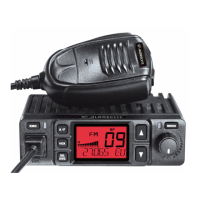
Choosing between green and red for the LCD backlight color.
Adjusting the LCD backlight to dimmed or bright.
Selecting the sensitivity level for the Automatic Squelch (ASQ).
Activating the NRC function to filter out static noise during reception.
Using the Memory channel Scan feature to scan favorite channels.
Using the SHIFT button for instant access to alternative channels like 19.
How to store channels into memory buttons (M1 to M5).
A chart listing frequencies for various CTCSS tones.
Information on proper disposal and recycling of electronic equipment.
 General
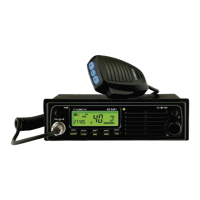
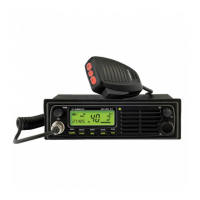
| Product type | Car CB radio |
|---|---|
| Product color | Black |
| Built-in display | Yes |
| Housing material | - |
| Display type | LCD |
| Output power | 4 W |
| Frequency range | - MHz |
| Channels quantity | - channels |
| Supported radio bands | AM, FM |
| Number of memory channels | 5 |
| Cables included | DC |
| Input voltage | 12/24 V |
 Weight and Dimensions
| Depth | 137 mm |
|---|---|
| Width | 188 mm |
| Height | 57 mm |


 To Next Page