1 Packing list
1. Speaker
2. Audio cable
3. USB cable
4. Manual
2 Functions and Features:
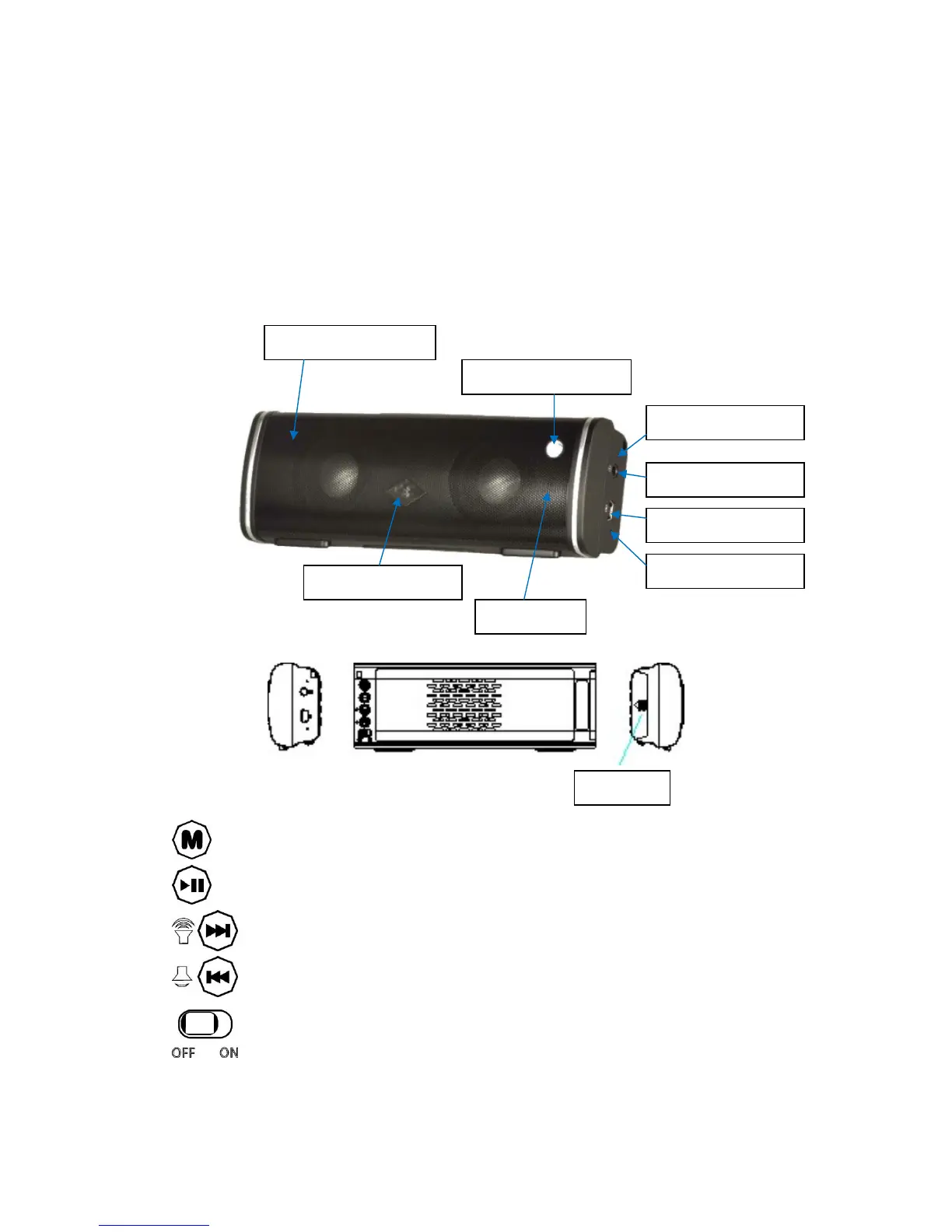
Battery
Microphone
Bluetooth indicator
Charge indicator
Mini USB port
AUX input
AUX indicator
Answer/Hang up
Aluminum alloy mesh
Mode: Switch the input modes between Bluetooth and AUX input.
Play / Pause: Short press to change.
Next / Volume+: Short press to select the next title, press and hold 3 seconds
to increase the volume.
Previous / Volume-: Short press to select the previous title, press and hold 3
seconds to decrease the volume.
Power ON / OFF: Moved to the right for power ON , moved to the left for
power OFF



 To Next Page