EasyManua.ls Logo

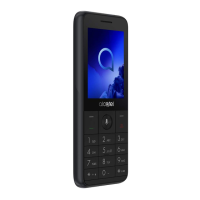
Alcatel 3088 4G Series - User Manual

Alcatel 3088 4G Series
45 pages
Print Icon
To Next Page IconTo Next Page
Loading...

Questions and Answers

  • J
    James CollierAug 19, 2025
    What to do if my Alcatel 3088 4G has not responded for several minutes?
    • K
      Kimberly RiveraAug 20, 2025
      If your Alcatel Cell Phone hasn't responded for several minutes, try restarting it by pressing and holding the End/Back Key. If that doesn't work, remove the battery, re-insert it, and then restart the phone.
  • S
    Steven GarrisonAug 21, 2025
    How to fix Alcatel Cell Phone that can't be switched on or is frozen?
    • Y
      youngamyAug 22, 2025
      If your Alcatel Cell Phone won't switch on or is frozen, check the battery contacts. Remove and reinstall the battery, then try turning your phone on.
  • K
    Kathy OwensAug 23, 2025
    Why my Alcatel 3088 4G can't charge properly?
    • E
      Edward WalkerAug 23, 2025
      If your Alcatel Cell Phone isn't charging correctly, ensure you're using an Alcatel battery and the charger that came in the box. Verify the battery is properly inserted and clean the contacts if they're dirty, inserting it before plugging in the charger. If the battery is completely discharged, it might take about 20 minutes for the charging indicator to appear. Charging should occur under normal conditions (0°C to +45°C). When you're abroad, confirm that the voltage input is compatible.
  • M
    Mrs. Michelle ConnerAug 26, 2025
    Why I am unable to make outgoing calls on my Alcatel Cell Phone?
    • D
      Dustin WebbAug 26, 2025
      If you're having trouble making calls on your Alcatel Cell Phone, first, ensure you've dialed a valid number and pressed the call button. For international calls, double-check the country and area codes. Make sure your phone is connected to a network that isn't overloaded or unavailable. Also, verify your subscription status with your operator, ensuring your SIM card is valid and has credit. Finally, confirm that your phone isn't in airplane mode.
  • A
    Amber LeeAug 27, 2025
    Why I am unable to receive incoming calls on my Alcatel Cell Phone?
    • A
      Amanda BradleyAug 28, 2025
      If you're not receiving calls on your Alcatel Cell Phone, ensure your phone is on and connected to a network that isn't overloaded or unavailable. Check your subscription status with your operator to make sure your credit is in good standing and your SIM card is valid. Also, verify that you haven't forwarded incoming calls or barred certain numbers. Lastly, ensure your phone isn't in Airplane mode.
  • J
    Jennifer FisherAug 29, 2025
    What to do if my Alcatel Cell Phone can't connect to a network?
    • J
      Jessica MoodyAug 30, 2025
      If your Alcatel Cell Phone can't connect to a network or shows 'No service', try connecting from another location. Verify network coverage with your operator. Also, confirm with your operator that your SIM card is valid.
  • G
    gutierrezchristopherAug 31, 2025
    Why my Alcatel 3088 4G Cell Phone can't connect to the Internet?
    • S
      Sean HoldenSep 1, 2025
      If your Alcatel Cell Phone can't connect to the Internet, verify that the IMEI number (dial *#06#) matches the one on your warranty card or box. Ensure your SIM card's internet access service is active. Check your phone's internet connection settings. Make sure you're in an area with network coverage. If problems persist, try connecting at a later time or in a different location.
  • J
    James WilliamsSep 3, 2025
    What to do if my Alcatel Cell Phone says invalid SIM card?
    • A
      Andrew ThomasSep 3, 2025
      If your Alcatel Cell Phone displays 'Invalid SIM card', first ensure the SIM card is correctly inserted. Check that the chip on your SIM card isn't damaged or scratched. Finally, make sure the service for your SIM card is active.
  • M
    Michelle WhitneySep 5, 2025
    Why is the sound quality of the calls poor on my Alcatel Cell Phone?
    • W
      wdorseySep 5, 2025
      If the sound quality of calls on your Alcatel Cell Phone is poor, you can adjust the volume during a call using the Volume Up/Down key. Also, check the network signal strength.
  • T
    Thomas CaseySep 6, 2025
    Why I am unable to use the features described in the manual on my Alcatel 3088 4G?
    • J
      Jason BryantSep 6, 2025
      If you're unable to use the features described in the manual for your Alcatel Cell Phone, check with your operator to ensure your subscription includes the service. Also, confirm that the feature doesn't require an Alcatel accessory.

Summary

Safety and Use

Traffic Safety

Guidelines for safe phone use while driving and potential interference with vehicle systems.

Protect Your Hearing

Advice to prevent hearing damage from listening at high volumes or holding the phone too close to the ear.

Conditions of Use

Recommendations for optimal performance and safe operation in various environments and with medical devices.

Privacy Precautions

User responsibility regarding taking photos/recordings and respecting privacy laws.

Battery Handling and Disposal

Precautions for handling, disposing, and charging the phone's battery, including warnings for different device types.

Charger Information

Details on charger operating temperature, compliance with standards, and potential compatibility issues.

Radio Waves

SAR Values and Guidelines

Information on Specific Absorption Rate (SAR) limits and the phone's compliance with international guidelines.

RF Exposure Compliance

Guidance on reducing exposure, using hands-free devices, and maintaining distance from the body.

Licences

Trademark Information

Details on microSD, Bluetooth SIG, and Wi-Fi Alliance trademarks and logos.

General information

Manufacturer and Contact Details

Information about the manufacturer, internet address, hotline, and physical address.

Radio Equipment Specifications

Operating frequency bands and maximum radio-frequency power levels for the device.

Protection Against Theft

Instructions on using IMEI number to protect the phone from theft and unauthorized use.

Your mobile

Keys and Connectors

Identification and function of physical buttons and ports on the phone.

Getting Started

Instructions for inserting SIM/microSD card, charging the battery, and powering the device on/off.

Home Screen

Description of the home screen layout, status bar icons, and accessing the application list.

Status Bar Icons

Explanation of various icons indicating phone status and notifications.

Change Home screen wallpaper

Steps to customize the phone's wallpaper through settings.

Calls

Making a Call

Instructions for dialing numbers, using contacts, and making international calls.

Emergency Call

How to make an emergency call, even without a SIM card.

Answer or Decline a Call

Procedures for accepting or rejecting incoming calls using soft keys.

Calling Your Voicemail

Steps to access and set up the voicemail account.

Contacts

Consult Your Contacts

How to access and view saved contacts on the phone.

Adding a Contact

Step-by-step guide to adding new contact details.

Editing Your Contacts

Instructions for modifying existing contact information.

Deleting a Contact

Instructions for removing contacts from the phone.

Sharing Your Contacts

Methods for sharing contact information via email, messages, or Bluetooth.

Available Options

Overview of additional features like call, message, settings, and speed dial.

Messages

Write Message

Guide to composing and sending text (SMS) messages.

Send a Multimedia Message

How to send MMS messages including video, images, and audio files.

How to Type a Message

Instructions on text input methods, predictive text, and character input.

Message Settings

Options for auto-retrieve, WAP Push, wireless alerts, and delivery reports.

Email

Set up an Email Account

Wizard to guide users through setting up email accounts.

Create and Send Emails

Steps to compose, add recipients, subject, and send emails.

Camera

Camera Usage

Instructions for taking pictures, adjusting settings, and using the viewfinder.

Camera Settings and Features

Options for self-timer, grid, gallery, modes, flash, and preview.

Camcorder Usage

Guide to shooting videos, adjusting zoom, resolution, and modes.

Gallery

Viewing Photos in Gallery

How to access the gallery and view photos.

Modifying Pictures

Options for deleting, editing, sharing, and setting pictures as wallpaper.

Picture Information and Sorting

Viewing file info, locking pictures, and sorting/grouping photos.

Video

Video Playback and Management

Instructions for playing, sharing, deleting, and storing videos.

Music

Music Playback

How to play music files stored on the phone.

Browser

Web Browsing

Guidance on using the browser to surf the internet.

Calendar

Calendar Usage and Views

How to use the calendar in day, week, and month views.

Create and Manage Events

Steps to add new events, set reminders, go to dates, and search schedules.

Clock

Alarm Settings

How to set alarms, including time, repeat, sound, and vibration.

Timer and Stopwatch Usage

Instructions for using the timer and stopwatch features.

Calculator

Using the Calculator

Guide to performing basic arithmetic operations.

FM Radio

FM Radio Functionality

How to use the radio, tune stations, and manage channels.

Settings

Network & Connectivity

Configuration for Aeroplane mode, mobile data, Wi-Fi, Bluetooth, and data roaming.

Calling & Internet Sharing

Options for call waiting, forwarding, barring, Wi-Fi hotspot, and USB tethering.

Personalisation

Customizing sound, display, wallpaper, brightness, and screen timeout.

Privacy & Security

Managing screen lock, SIM security, app permissions, and browsing privacy.

Storage & Accessibility

Information on USB/internal storage, device info, battery, and accessibility features.

Date, Time & Language

Configuration for auto-sync, date/time formats, language, and input methods.

Google applications

Maps

Features of Google Maps for navigation, location search, and route planning.

YouTube

Overview of YouTube's video sharing capabilities and content.

Google Assistant

How to use the voice-controlled smart assistant for information and app control.

Making the most out of your phone

Upgrade

Instructions for updating the phone's software using the Over-the-air upgrade tool.

Accessories

Included Accessories

List of accessories typically included with the phone.

Warranty

Warranty Information

Details on the warranty period for the phone and accessories, and claim procedures.

Troubleshooting

Phone Not Switching On or Frozen

Steps to resolve issues where the phone is unresponsive or frozen.

Phone Not Responding

Troubleshooting steps for a phone that has stopped responding.

Phone Turns Off Unexpectedly

Guidance on why the phone might turn off by itself and how to fix it.

Charging Problems

Solutions for issues related to the phone not charging properly.

Network Connectivity Issues

Steps to resolve problems with connecting to a network or 'No Service' display.

Internet Connection Problems

Troubleshooting steps for issues connecting to the internet.

SIM Card Errors

Guidance for invalid SIM card errors and ensuring proper insertion and service.

Call and Message Issues

Resolving problems with making/receiving calls, MMS, and caller ID display.

Voicemail and Contact Access

Troubleshooting for accessing voicemail, adding contacts, and finding saved contacts.

SIM PIN Lock and Bluetooth Detection

Steps to unlock SIM PIN and resolve Bluetooth detection issues.

Specifications

Processor, Platform, and Memory

Technical details on the phone's processor, operating platform, and memory configuration.

Physical Dimensions and Display

Specifications for the phone's size, weight, and display.

Network Band Support

Details on supported GSM, UMTS, and LTE network bands.

Connectivity and Audio Features

Information on Bluetooth, Wi-Fi, audio jack, micro-USB, and supported audio formats.

Camera, Battery, and Expansion

Specifications for the camera, battery capacity, and expansion slot.

Alcatel 3088 4G Series Specifications

General IconGeneral
Network4G LTE
Display5.5-inch
ProcessorQualcomm Snapdragon 210 (MSM8909)
RAM512MB
Rear Camera2MP
Battery1530mAh
Operating SystemAndroid 7.0 Nougat
Internal Storage4 GB
CPUQuad-core 1.1 GHz
ConnectivityWi-Fi, Bluetooth, GPS
SIMSingle SIM
Memory Card SlotYes

Related product manuals