6 7
Phone call
Making a call
Enter the desired number from the keyboard
and touch to make a call.
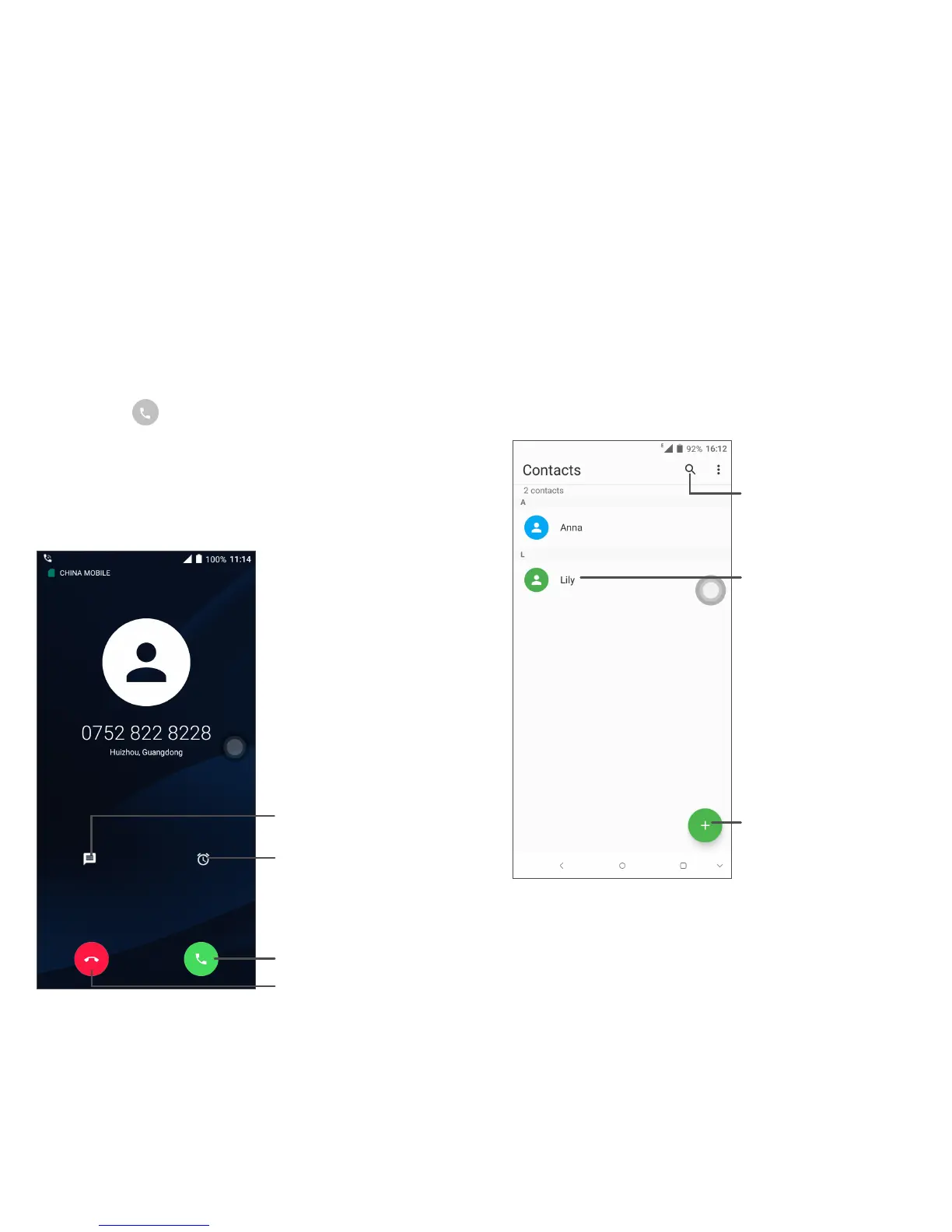
Answering a call
When you receive a call, touch to:
Reject by SMS
Answer the call
Reject the call
Reject by Alarm
Contacts
You can view and create contacts on your
phone and synchronize these with your Gmail
contacts or other applications on the web or
on your phone.
Search in Contacts
Open the Quick contact
panel
Long press to select
contact(s) to delete
Add new contact


 To Next Page