6
Answering or rejecting a call
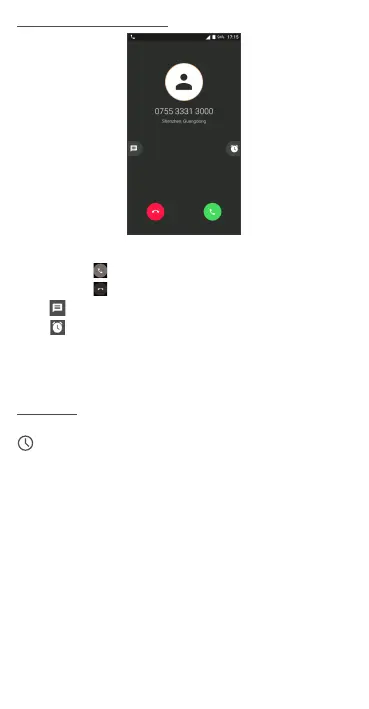
When you receive a call:
Touch the icon to answer;
Touch the icon to to reject;
Touch to reject the call by sending a preset message.
Touch to reject the call and set an alarm for calling back.
To mute the ringtone volume of an incoming call, press the Volume
Up/Down key or turn the phone over (Enable this feature by going to
Settings > Gestures > Turn over to mute).
Call history
You can access your call history by touching the RECENT tab
from the Call screen to view missed calls, outgoing calls, and
incoming calls.












 To Next Page