22
8
Settings
8.1 Device
8.1.1 Gestures
Touch Settings > Gestures to activate gestures as preferred.
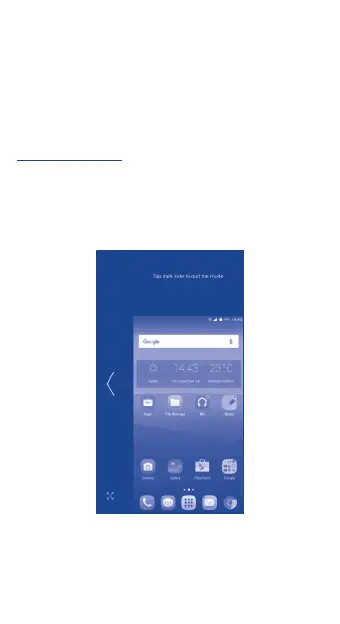
One-handed mode
To use this mode, go to Settings > Gestures > One-handed
mode and mark the checkbox.
Touch the Back or Recents key for 3 seconds to shrink the
screen to a smaller size. When you touch the blank area, the
screen will restore to its original size.








 To Next Page