8 9
End key: Press: End a call
Return to the Home screen
Press and hold: Power on/off
Back key: Press: Delete content, go back
to the previous menu or
option.
1.5 Setting Up Voicemail
a From the Home screen, press and hold the
key.
b When connected, you’re prompted to set up
your voicemail.
2 Getting Started
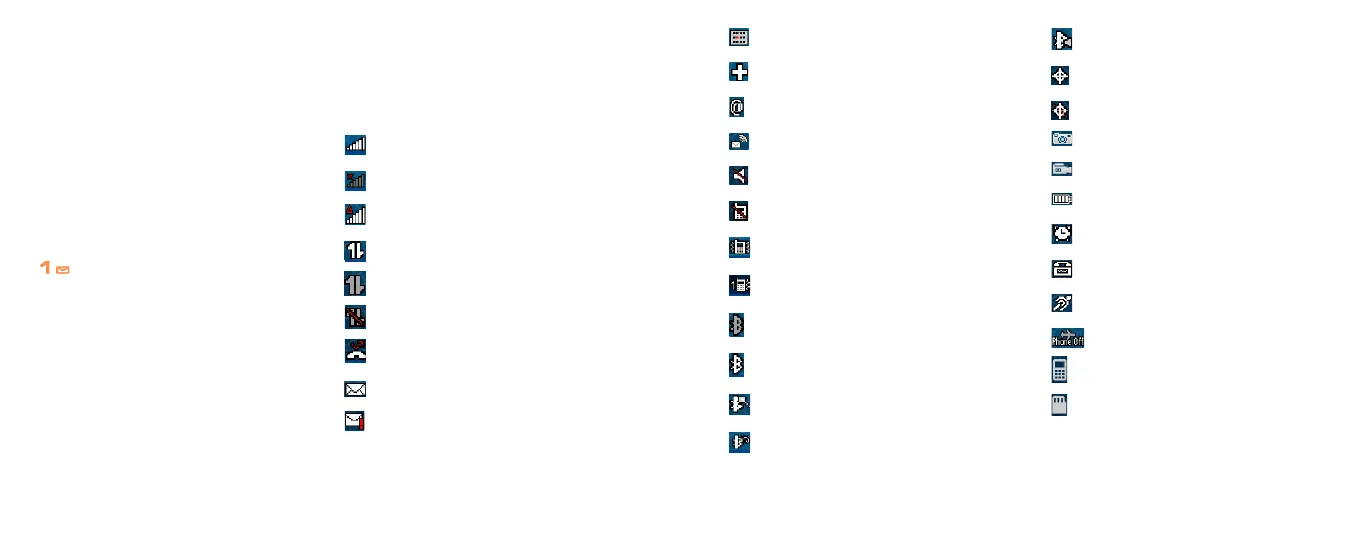
2.1 Status Bar Icons
(1)
This list covers the symbols appearing on your
phone’s display and indicator area.
Signal strength
NO Service
Roaming
Data connection
Dormant
Service unavailable
Missed call
SMS/MMS
Urgent message
(1)
The icons and illustrations in this guide are
provided for informational purposes only.
Calendar
Multiple alerts
Email
Voice message
Silence all
Ringtone off
Vibrate
Beep once
Bluetooth active
Bluetooth connected
Bluetooth discoverable
Bluetooth headset connected
Bluetooth stereo connected
Location on
Location off
Camera
Camcorder
Battery status
Alarm
TTY
Hearing AID
Airplane Mode
Camera: phone
Camera: SD card















 To Next Page