5
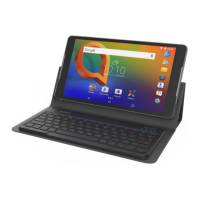
Connecng Keyboard and
Tablet
The keyboard connects with the tablet through
Bluetooth. Pair the keyboard with the tablet when
you use it for the rst me.
1. Make sure Tablet Bluetooth is open
Touch Apps → Sengs → Network connecons
secon from Home screen and turn on the
Bluetooth switch.
2. Turn on the Keyboard
When turning on the keyboard for the rst me,
press the connect buon to pair. When the power
light blinks blue for 3 minutes, the keyboard is
discoverable and can be paired with your tablet.
3. Pair Keyboard with Tablet
i) In the tablet’s Bluetooth sengs, select the
“Alcatel KB20” from the available device list.
ii) Enter the pairing code with the keyboard and
conrm to connect the “Alcatel KB20” keyboard.
When successfully connected, the light turns
solid blue for 3s to indicate a stable status.
iii) If unsuccessful, restart Keyboard and return
to step 2�


 To Next Page