23
Download and install the MOVETRACK applicaon on the prospecve
new user’s smartphone. Create an account and log in.
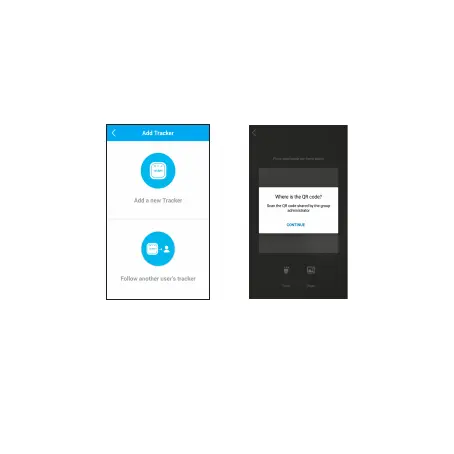
On the Manage trackers screen, touch +. Select Follow another
user’s tracker and scan the QR code displayed on the administrator’s
applicaon.
Invited users have access to almost all of the administrator’s applicaon
funcons, such as checking the locaon of the MOVETRACK. They
cannot however add or remove other users.



 To Next Page