3
Category Descripon
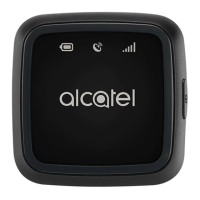
Baery indicator
• Flashing red when charging.
• Solid blue when fully charged.
• Solid red when baery is low.
GPS indicator
• Flashing red when searching for a GPS signal.
• Solid blue when your MOVETRACK has found its GPS
locaon.
• Solid red when your MOVETRACK is unable to nd its GPS
locaon.
Network
Indicator
• Solid blue when connected to the cellular data network.
• Solid red when there is no network coverage. Please ensure
that your Vodafone V SIM card is inserted correctly, and that
it has been acvated through the Vodafone V App.
Power On/O
• Press once to show baery/GPS/network status.
• Press and hold the power buon for at least 3 seconds unl 3
LEDs all light blue to turn on your MOVETRACK.
• Press and hold the power buon for at least 3 seconds unl 3
LEDs all light red to turn o your MOVETRACK.
Micro-USB port For charging
Nano SIM card
cover
Remove to insert the Vodafone V SIM card.



 To Next Page