EasyManua.ls Logo

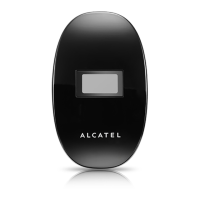
Alcatel ONETOUCH Y580 - User Manual

Alcatel ONETOUCH Y580
24 pages
Print Icon
To Next Page IconTo Next Page
Loading...
1
User Manual
Question and Answer IconNeed help?

Do you have a question about the Alcatel ONETOUCH Y580 and is the answer not in the manual?

Summary

Safety Precautions

1. Overview

1.1 System Requirements

Device needs Wi-Fi capability (802.11 b/g/n) and a web browser for use.

1.3 Connect in Wi-Fi mode

Steps to connect to the device via Wi-Fi using its network name (SSID).

2. Web UI configuration

2.1 login the configuration page

Instructions to access the device's web interface by entering its IP address.

3. Quick Setup

4. Connection

4.1 Connection status

Details on current connection status, WAN, and WLAN information.

6. SD card

7. Settings

7.1 Wi-Fi

Configure Wi-Fi parameters such as mode, SSID, channel, and security.

10 Q&A

11 Warning and Precautions

Summary

Safety Precautions

1. Overview

1.1 System Requirements

Device needs Wi-Fi capability (802.11 b/g/n) and a web browser for use.

1.3 Connect in Wi-Fi mode

Steps to connect to the device via Wi-Fi using its network name (SSID).

2. Web UI configuration

2.1 login the configuration page

Instructions to access the device's web interface by entering its IP address.

3. Quick Setup

4. Connection

4.1 Connection status

Details on current connection status, WAN, and WLAN information.

6. SD card

7. Settings

7.1 Wi-Fi

Configure Wi-Fi parameters such as mode, SSID, channel, and security.

10 Q&A

11 Warning and Precautions

Alcatel ONETOUCH Y580 Specifications

General IconGeneral
ModelAlcatel ONETOUCH Y580
Device TypeWireless Access Point
Wi-Fi Standard802.11 b/g/n
Frequency Bands2.4 GHz
Maximum Wi-Fi Speed150 Mbps
Download SpeedUp to 150 Mbps
Upload SpeedUp to 50 Mbps
Battery Capacity1800 mAh
BatteryRemovable
SIM Card SlotYes
LTE Category4
Maximum Wi-Fi connections10
AntennaInternal
SecurityWPA/WPA2
PortsMicro USB
Power Supply5V/1A

Related product manuals