15 16
•To call a second party during a call, you may press "Options" and select
"New call".
3.5 Conference calls
Your phone allows you to talk to several people at the same time. If you are
on a double call, press "Options" and select "Conference". If a third call
comes in, answer it by pressing the key and speak with your new caller.
This caller becomes a member of the conference if you press "Options"
and select "Conference call".
4
Contacts .........................
1
2
6
3
5
7
4
8
1
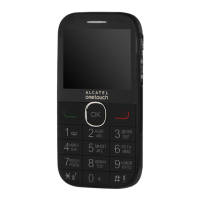
Left softkey
2
Pick up/Send call
Call log
Activate fake call
(long keypress)
3
Voicemail
(long keypress)
4
Right softkey
5
Switch on/Switch off
End call
6
Vibration alert
(long keypress)
7
Navigation key:
Menu/Confirm an option
When widget bar is hidden:
Messaging
Contacts
Alarm
Calendar
8
Camera



 To Next Page