13
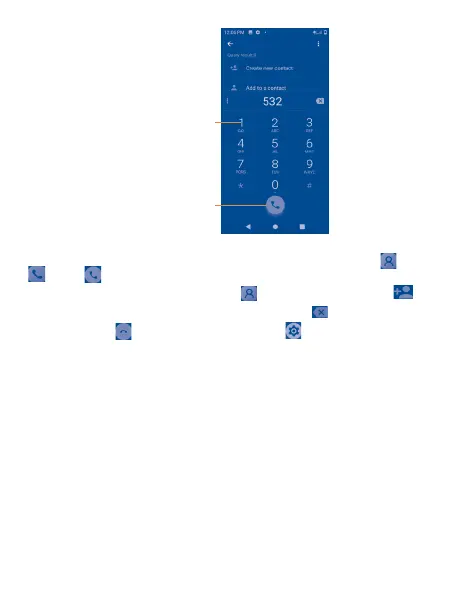
Touch and hold to
access voicemail.
Tap to place
a call
Enter the desired number from the keyboard directly or select a contact from Contacts or Phone
then tap to place the call.
The number you entered can be saved to Contacts by tapping Create new contact .
If you make a mistake, you can delete the incorrect digits by tapping .
To hang up a call, tap or the Power key (when the Settings > Accessibility > Power button
ends call option is activated).


 To Next Page
 Loading...