14
3�2 Answering or rejecting a call
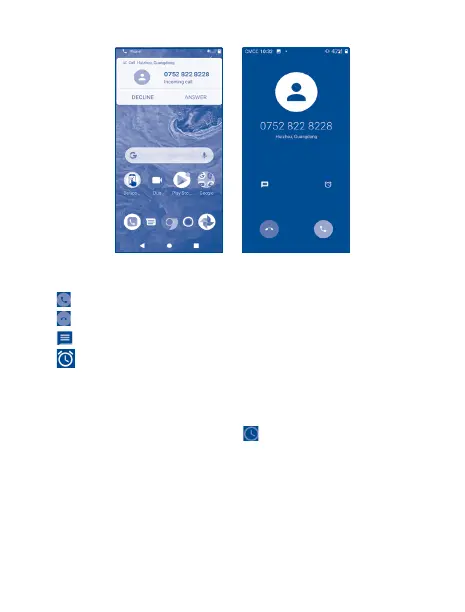
When you receive a call, tap Decline to reject the call or tap Answer to connect the call. For more,
tap the incoming call then:
• Tap to answer;
• Tap to reject;
• Tap to reject the call by sending a preset message.
• Tap to reject the call with a reminder.
To mute the ringtone volume of an incoming call, press the Volume up/down key.
3�3 Viewing your call history
View your Call History by tapping the Recent Calls . tab.


 To Next Page
 Loading...