EasyManua.ls Logo

Alcedo JPD-FR300 - User Manual

Alcedo JPD-FR300
111 pages
Print Icon
To Next Page IconTo Next Page
Loading...
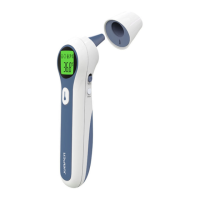
JPD-FR300
Infrared Thermometer
Instruction Manual
0482

Questions and Answers

  • M
    Matthew LeeAug 7, 2025
    Why is Alcedo Thermometer reading too low?
    • S
      Steven DicksonAug 7, 2025
      If the temperature reading on your Alcedo Thermometer is lower than expected, the lens of the temperature probe may be dirty. Clean the lens using a cotton swab. Another cause could be that the thermometer probe is not correctly aligned to the eardrum; reposition it to ensure proper alignment. Also, if the thermometer has recently been moved from a cold environment, wait for more than 30 minutes before use.
  • S
    Stephanie HowardAug 16, 2025
    How to fix Alcedo Thermometer if it fails to power on?
    • A
      ashley68Aug 16, 2025
      If your Alcedo Thermometer doesn't turn on, the issue might be due to low batteries. Try replacing the batteries. Also, ensure that the polarities of the batteries are correct when installing them. If the thermometer still fails to power on, it may be damaged, and you should contact the manufacturer.
  • O
    Olivia ReyesAug 26, 2025
    What to do if Alcedo Thermometer shows "Er1"?
    • A
      Alexander BakerAug 26, 2025
      If your Alcedo Thermometer displays "Er1", it means that the ambient temperature is outside the operating range. Take the measurement when the ambient temperature is between 10°C (50.0°F) and 40°C (104°F).

Summary

Product Information

Introduction

Unpacking and Safety

Safety Precautions

Important safety precautions to ensure correct and safe use of the thermometer.

Warnings and Symbols

Warnings

Critical warnings on usage, potential hazards, and contraindications to prevent misuse or injury.

Symbols Explained

Reference guide to understand the meaning of various symbols used throughout the manual.

Product Overview

Body Temperature Basics

Information on normal body temperature ranges and influencing factors.

Product Description

Overview of the thermometer's components, operating principle, and intended use.

Key Features

Highlights of the thermometer's main functionalities, accuracy, and user-friendly design.

Product Structure and Display

Product Structure Diagram

Visual identification of the thermometer's parts with numbered labels for easy reference.

Display Screen Guide

Explanation of icons and information displayed on the thermometer's LCD screen.

Sound and Backlight Indicators

Interpretation of audible beeps and backlight colors for measurement status and results.

Measurement Operations

Out of Range Readings

How the device signals temperatures outside the standard measurement range.

Memory Recall Function

Instructions for accessing and reviewing up to 20 stored temperature readings.

Mode and Unit Settings

Mode Switching

Guidance on changing between mute/un-mute and object/body temperature measurement modes.

Unit Selection and Error Handling

Procedures for switching between °C/°F units and understanding error or low battery messages.

Measuring Temperatures

Measuring Ear Temperature

Step-by-step instructions for accurate ear temperature measurement.

Specific Measurement Guides

Measuring Forehead Temperature

Detailed steps for obtaining forehead temperature readings.

Measuring Object Temperature

Guide on how to measure non-body object temperatures.

Post-Measurement Care

After a Measurement

Recommended actions after completing a temperature measurement.

Battery Replacement

Cleaning and Disinfection

Cleaning Procedures

Steps and recommended detergents for cleaning the thermometer probe and body.

Disinfection Methods

Recommended disinfectants and steps for disinfecting the thermometer body and probe area.

Support and Maintenance

Maintenance Guide

Routine checks and care for ensuring the thermometer's longevity.

Troubleshooting Common Issues

Solutions to common problems encountered during thermometer operation.

Technical Specifications

Compliance and Environment

Security Classifications

Information on device protection levels against electric shock and water.

Storage and Transportation

Guidelines for proper handling and movement of the thermometer.

EMC Information and Declarations

Declarations and guidance related to electromagnetic compatibility and immunity.

Warranty and After-Sale Service

Alcedo JPD-FR300 Specifications

General IconGeneral
Response Time1 second
Power Supply2 x AAA batteries
Accuracy±0.2°C (±0.4°F)
DisplayLCD
TypeInfrared Forehead Thermometer
Measuring Range32°C - 42.9°C (89.6°F - 109.2°F)
Fever AlarmYes