3
¾ Flash time 100/300/600/1000ms selection
¾ LCD backlight
¾ Auto/manual call pickup/answer
¾ Call barring and Keypad lock
¾ Microphone mute
¾ IN USE and CHARGE LED indicator
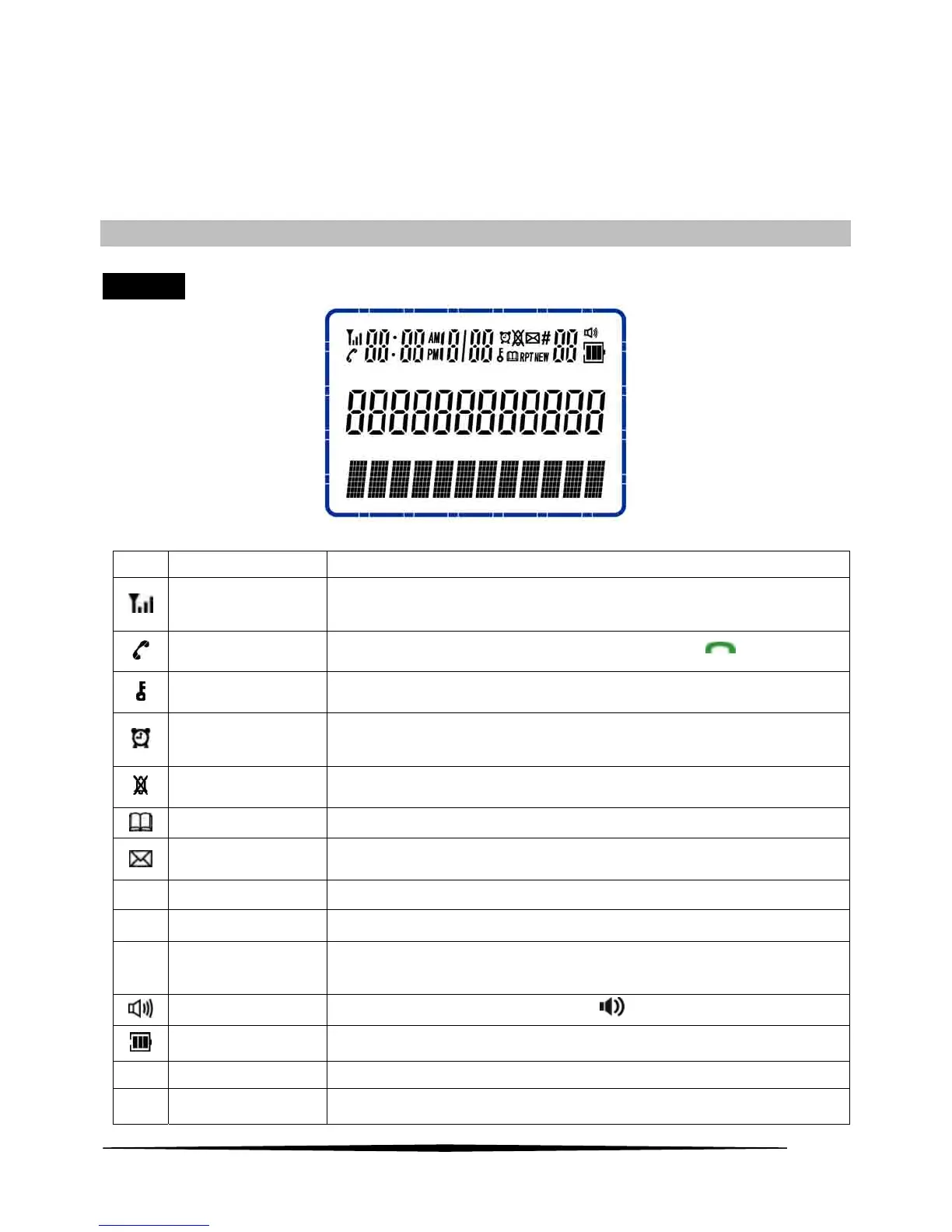
LCD DISPLAY/LCD MAP/KEY PAD DESCRIPTION
LCD Map
Icon Description Function
ANTENNA
The antenna icon will always be shown on the LCD, it indicates for Signal
strength, flashes when registration to base is lost.
OFF HOOK
The icon will be displayed when the user has pressed key
KEYLOCK_IND
This icon will be displayed when the handset keypad is locked.
ALARM_IND
The alarm icon will be shown as steady on when the alarm is set.
The alarm icon will flash when the alarm is triggered.
RING OFF
The icon will be displayed when external ring set to off.
PHONEBOOK
Displayed when viewing the phonebook entries.
VOICE MESSAGE
Displayed when a new voice message is received from the network.
RPT Repeat CID
Displayed when the same missed calls received more than once.
NEW NEW CID Displayed when missed call hasn’t been reviewed yet.
# Sequence
When you press ▲ or ▼ key directly to scroll and review the numbers ,it
appears along with the digit to indicate the sequence of the call
HANDSFREE
The icon will be displayed when press
key to off-hook state.
BATTERY
Displays charging indication and current battery status.
AM A.M. If time is morning 0 to 11:59:59’ o’clock, the “AM” icon will be displayed.
PM P.M.
If time is 12:00 to 23:59:59’ o’clock, the “PM” icon will be displayed.



 To Next Page