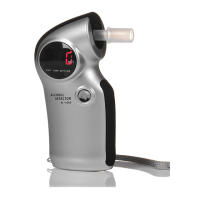
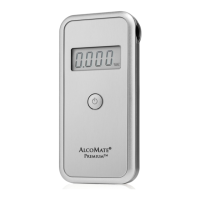
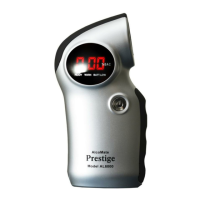
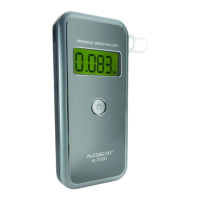
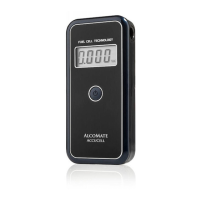
The AccuCell AL9000 is a digital personal breathalyzer designed to measure breath alcohol content (BAC) using advanced fuel-cell technology. This device calculates alcohol content in g/dL (grams of alcohol per deciliter of blood), commonly referred to as "%BAC" in the United States. Its primary function is to provide an accurate and reliable assessment of a person's alcohol level based on a breath sample. The compact and portable design makes it easy to carry and use in various settings.
Function Description
The core function of the AccuCell AL9000 is to analyze a breath sample to determine the presence and concentration of alcohol. It utilizes a top-grade fuel-cell alcohol sensing mechanism, which is known for its high accuracy and specificity to alcohol, minimizing interference from other substances. When a breath sample is provided, the device processes it and displays the calculated BAC on its backlit LCD screen. The measurement process is designed to be straightforward, guiding the user through each step from warm-up to result display. The device is intended for personal use and, in certain regulated contexts, requires specific accuracy checks to ensure its reliability.
Usage Features
Operating the AccuCell AL9000 involves a simple sequence of steps. To begin, users need to ensure that two 1.5V AAA batteries are properly installed in the device. Once powered on by pressing and holding the power button, the device displays the current cumulative test count before initiating a warm-up countdown. After the warm-up, the display will show "blow," indicating that it is ready for a breath sample. A mouthpiece, which is included with the device, must be inserted into the designated slot before testing.
To provide a sample, the user must blow sharply and steadily into the mouthpiece. The device provides audible cues to guide the user: a first audible click signals the start of the required blowing duration, and a second audible click indicates that sampling is complete. It is crucial to continue blowing for more than 3 seconds until the second click is heard to ensure a sufficient sample. Following a successful sample, the device analyzes the breath for a few seconds, during which a digit "0" may be seen moving back and forth on the display. Once the analysis is complete, the BAC reading is displayed on the screen in g/dL. During the display of the result, a "WAIT" indicator light illuminates, and a short series of beeps are emitted. The device is designed to automatically shut off within 15 seconds after displaying "Out" on the screen, conserving battery life.
The AccuCell AL9000 incorporates several user-friendly features, including a backlit LCD for clear visibility of readings, even in low-light conditions. The device also provides error codes and warnings to inform the user of potential issues. For instance, a "Flow" warning indicates an insufficient breath sample, prompting the user to retest with a stronger and steadier blow. A "bAt" warning signifies low battery power, requiring replacement of the AAA batteries. Other error codes like "Err2" or "Err9" point to more significant issues such as a general sensor problem or insufficient power, respectively, and may necessitate contacting technical support.
It is critical for users to adhere to specific precautions to ensure accurate results. Users should wait at least 20 minutes after eating or drinking before testing, as contaminants in the mouth, including alcohol, food, smoke, or even excess saliva, can interfere with the "lung air" sample and lead to inaccurate readings. Alcohol-based mouthwash or similar products are particularly noted as common causes of improper use and incorrect results. Testing should be avoided in high wind or enclosed spaces, as poor ventilation can affect warm-up times and accuracy. Users must also refrain from blowing smoke, saliva, or other contaminants into the mouthpiece to prevent damage to the sensor. The AccuCell AL9000 is explicitly not to be used as a tool to facilitate drinking and driving.
Maintenance Features
Maintaining the accuracy and longevity of the AccuCell AL9000 involves a few key practices. The device should be kept out of extreme temperatures and out of the reach of children to prevent damage and ensure safety.
A crucial maintenance aspect for the AccuCell AL9000 is recalibration. To maintain its accuracy, the internal sensor module requires recalibration every 1000 tests or at least once a year, whichever comes first. This periodic maintenance is a standard requirement for all breathalyzers to ensure their continued reliability. In situations directly overseen or mandated by the US Department of Transportation (DOT), users are required to perform calibration checks according to the manufacturer's Quality Assurance Protocol (QAP) for the AccuCell AL9000. It is also noted that a high number of "high positive" (high alcohol) readings may necessitate recalibration of the sensor sooner than the normally expected schedule.
The device's warranty covers defects in workmanship or material for one year from the date of purchase, excluding spent or used sensor modules. However, recalibration is considered a required periodic maintenance procedure and is not covered under warranty service. The warranty also does not cover shipping costs to AK GlobalTech for service. Users should be aware that tampering with the unit (beyond opening the rear cover for battery replacement as described in the manual) or maliciously damaging it will void the warranty. Proper battery replacement, ensuring correct alignment of the +/- marks, is also a simple maintenance task that users can perform. In case of persistent issues or error codes that cannot be resolved by basic troubleshooting, users are advised to contact AK GlobalTech's technical support, providing error codes and photos if available, for further assistance.


 To Next Page
 General