

EasyManua.ls Logo

ALDEN Skymatic - User Manual

ALDEN Skymatic
16 pages
Print Icon
To Next Page IconTo Next Page
Loading...
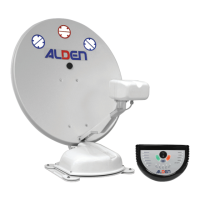
Automatic satellite system Skymatic
with SSC SKEW unit
Users guide
100306ALD-06603
Z.A. du Hairy F-67230 HUTTENHEIM www.alden.fr
Register pattern • Design and specifications are subject to change without notice.
More information https://www.caravansplus.com.au
Question and Answer IconNeed help?

Do you have a question about the ALDEN Skymatic and is the answer not in the manual?

Summary

Warning

Introduction

SSC Unit Description

How to Use the System

How to Start

Steps to power on the system and begin satellite search.

Changing Satellites

Procedure for switching between different satellite channels during operation.

How to Fold the System Down

Instructions for safely retracting the satellite dish.

Satellite Zone Coverage Maps

OPTUS D2 Zones

Geographical zones for OPTUS D2 satellite signal reception.

OPTUS C1;D3 Zones

Geographical zones for OPTUS C1 and D3 satellite signal reception.

INTELSAT 8 Zones

Geographical zones for INTELSAT 8 satellite signal reception.

OPTUS D1 Zones

Geographical zones for OPTUS D1 satellite signal reception.

Receiver and Cable Connection Advice

SSC Connection Layout

Troubleshooting System Issues

Addressing Poor Picture Quality

Tips for improving satellite signal and picture clarity.

Power Failure Procedures

Steps to take and checks to perform following a power interruption.

Satellite Search Failures

How to resolve issues when the system cannot find the satellite.

System Folding Failures

Steps to take if the satellite dish fails to fold down.
Wind Classification and Safety

Technical Specifications

Limited Warranty Information

Contact and Support Information

ALDEN Skymatic Specifications

General IconGeneral
BrandALDEN
ModelSkymatic
CategoryAntenna
LanguageEnglish