611242 - Digital Multifunction Control
User guide
611242 user guide, R03 4
8. Dehumidistat mode
This mode automatically controls the level of relative humidity by activating the high-speed air exchange when the ambient
humidity level exceeds the selected setpoint. To select this mode, you must proceed as follows:
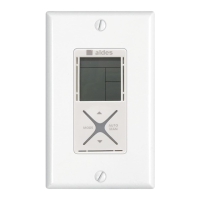
1. Press the MODE key until the “exchange” symbol appears;
2. Select automatic operation using the AUTO/MAN key. The AUTO indicator will be displayed;
3. Press the UP-DOWN arrow keys to select the relative humidity setpoint desired.
Important Note: to remove the excess relative humidity level in your living space, the outdoor relative humidity must be lower than
the indoor ambient setpoint desired. Otherwise, your air exchange system will continuously exchange without reaching the desired
humidity level.
Backlight function
The controller incorporates two convenient backlights for use in dark locations and at night. The display backlight turns on when
pressing any button, and turns off for 6 seconds, following the last action. The keypad backlight operates simultaneously with the
display backlight in its normal configuration. The keypad backlight can also function as a night light to generate a soft, permanent
lighting.
To activate or deactivate the night light function, press the MODE key for 2 seconds.
Air exchange system maintenance indicator
The humidistat displays a blinking maintenance indicator every 3 months of operation. This indication signifies
that the basic maintenance routine of your air exchange system is due. After the fourth 3-month period, this
indicator turns on steadily (non-blinking), notifying that the annual maintenance routine of your system shall be
performed. Please consult your air exchange system technical documentation to learn about the maintenance
routine of its filters and components.
After each maintenance routine, hold the AUTO/MAN key for 2 seconds to reset the maintenance schedule. The
indicator turns off and the maintenance timer is restarted for the next 3-month period.
Operation recovery after a power failure
When recovering from a power failure (air exchange system turned off or electricity blackout), the controller restarts in its last
operation mode selected. If this mode implies a timer function (ECO and HIGH OCCUPANCY), the timer restarts at its initial value,
as if the mode would be freshly selected.
Cleaning
Clean your humidistat using a lightly damp cloth and a soft cleaner.


 To Previous Page
 Loading...