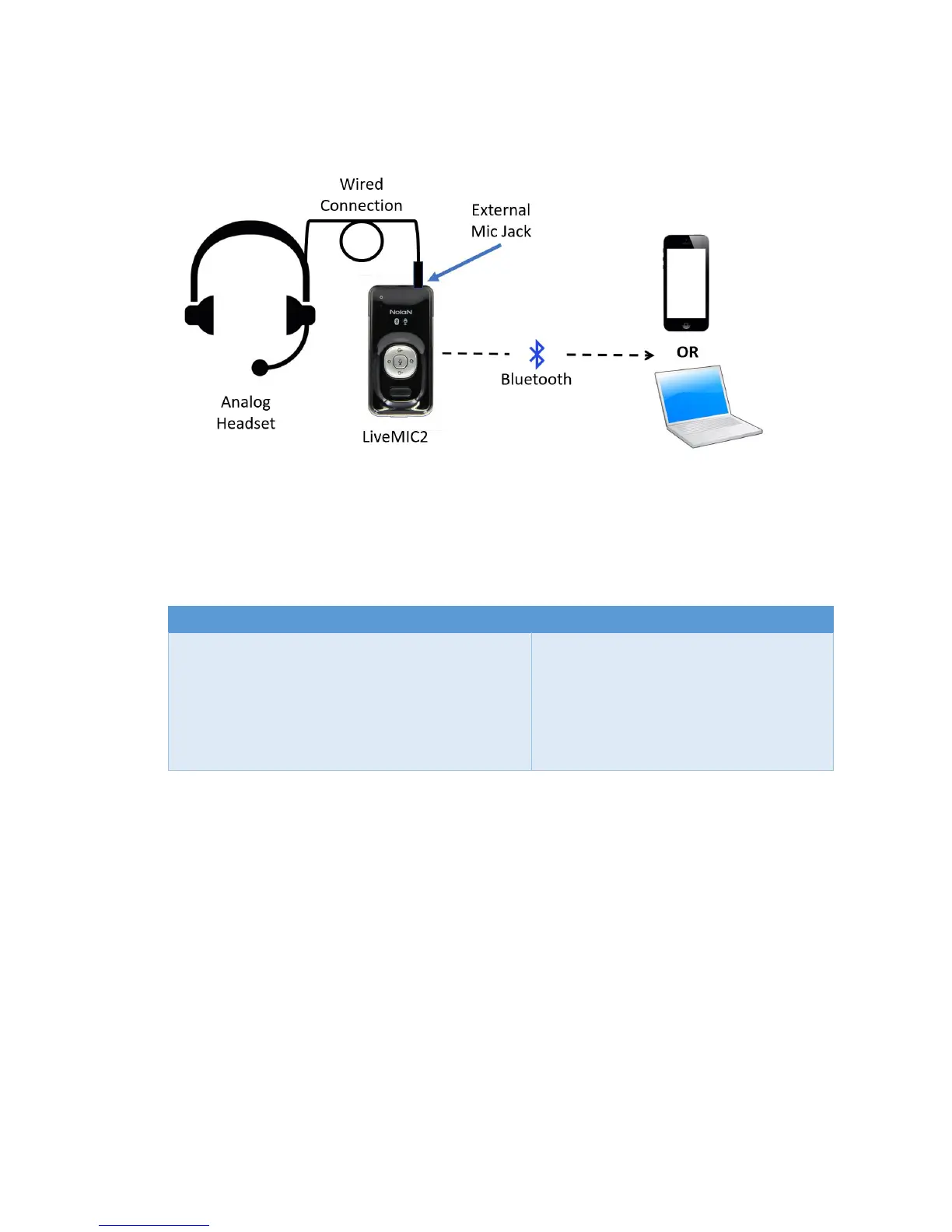
The general set-up for use of an external microphone is overviewed below:
Compatible Microphones: Speech Recognition Solutions has tested the LiveMIC2 with a variety of
microphones and have yet to find one with which it did not work. Some specific mics with which we can
attest to excellent compatibility are the following:
If you have problems with any microphone, be sure to try adjusting the microphone gain up or down as
needed for the software application. Newer versions of the Sennheiser ME3 have a less sensitive mic
capsule and require that you jack up the gain a bit.
Confirming Use of an External Microphone: If you ever find yourself in doubt about whether an
external mic is being properly recognized by the LiveMIC2, it is suggested that you open the sound
control panel on your Windows (Control Panel > Sound) or Mac machine and simply look to see if there
is a visual indicator of sound input and whether this is impacted by unplugging the external mic.
Remember that you must be viewing this from the “Recording” tab of the Sound control panel. See
graphics below:
Indication when an external mic is the chosen with LiveMIC2 using the sound control panel on a
Windows computer:


 To Next Page