7
Charging the Battery
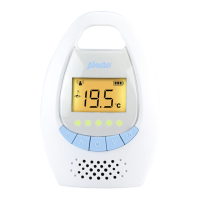
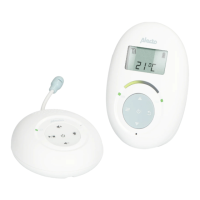
Place the parent unit on its charge cradle to charge the battery. When
charging, the red LED on the charger will lit steadily.
Note: The Parent Unit must never be operated on the charging cradle
without batteries.
Restore to Default Setting
You can return the baby and parent units to factory default settings.
• Press and hold
to turn on the unit.
• When the LEDs on the unit become lit. Press and hold volume
down button (
for Baby Unit, for Parent Unit) immediately
until the display reads Reset.
• A tone will also be emitted from the speaker.
Note: If the volume down button (
for Baby Unit, for Parent
Unit) is not pressed within the 4 seconds, the unit returns to idle
mode.
If you want to restore the factory default settings on the baby
monitor, you will need to restore factory default setting on the
Baby Unit or on the Parent Unit individually.
Appendix: Default Settings
Baby Unit
Speaker Volume: Level 3
Parent Unit
Speaker Volume: Level 1
Speaker Sensitivity: Level 5
Conformance To Regulation
This product complies with the essential requirements for Radio and
Telecommunications Terminal Equipment.
CE Mark in accordance with:
EN 301 406
EN 301 489-1
EN 301 489-3
EN60950: 2001
Directive 1999/5/EC



 To Previous Page