15
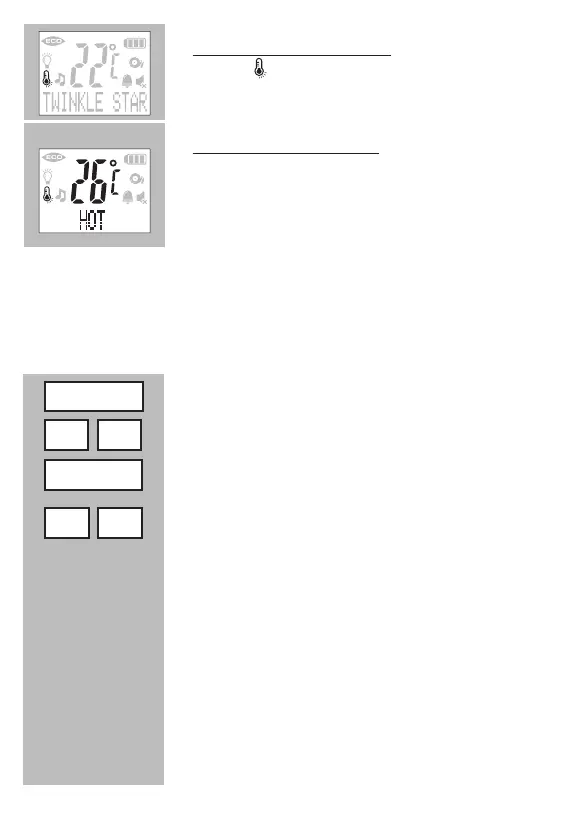
temperature alert indication:
the icon is on when the temperature alert is
enabled
working temperature alert:
If the temperature goes beyond the minimum or
maximum level, “COLD” or “HOT” indication dis-
plays and the current temperature flashes in the
displays of both Units.
If the Temperature alert is set to On, an alert will be sound at the Parent
Unit.
4.11 ALARM:
Alarm feature is useful for you to remind yourself for some special arran-
gements, like feeding time, etc.
press the MENU button
ndtheoption[ALARM]
press the MENU button
use the buttons -/+ to select between: [ OFF? ]
and [ SET TIMER ]
press the MENU button to disable the alarm
(to disable, now press MENU)
press the MENU button to set the alarm feature
1. pres the MENU button and use -/+ to set the
hours
2. pres the MENU button and use -/+ to set the
minutes
Menu
- +
Menu
- +
[ OFF? ]
[ SET TIMER ]


 To Next Page