4
www.alen.com 1-800-630-2396
USING YOUR AIR PURIFIER
Operating Your Unit:
1. Plug your air purier into a grounded outlet.
2. Press Power Button in the center to start the air purier. When your unit is on, the
lights will light up. To turn off the lights on your unit, press the Power Button. To turn off
the air purier, press the Power Button again after the lights have turned off.
3. FILTER Indicator — The Filter indicator has 3 lights: Green, Yellow, and Red. The Green
light will be illuminated for most of the life of the lter. The Yellow light will come on shortly
before your lter should be replaced. This is the ideal time to order a new lter. The Red
light will be illuminated when it is time to replace the lter.
4. After changing the lter, hold the FILTER button down for 5 seconds. The Red light will be
reset to Green.
5. Press TIMER to have the air purier run for a set amount of hours (either 2, 4 or 12)
before turning off.
6. Press SPEED and watch the indicator lights until desired fan speed is achieved. Most
users prefer to use the air purier on speed 2 or 3 to balance cleaning speed and noise.
If you suspect the air is particularly dirty, you should set the speed to T (Turbo).
7. Press and Hold LOCK for 3 seconds to Lock/Unlock the Control Panel.
PLEASE NOTE:
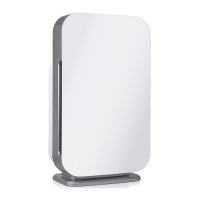
The BreatheSmart FLEX has a capacitive touch panel. The buttons only operate with
a quick, light touch. Holding the buttons down will not activate the controls properly.
A chime will indicate that the control has registered your touch.


 To Next Page
 Loading...