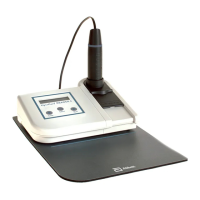
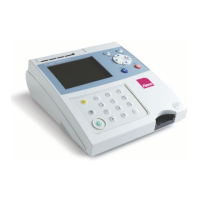
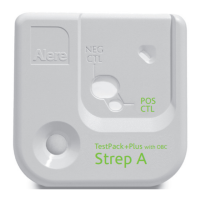
Intended use of NycoCard™ READER II
The NycoCard
™
READER II is a small battery-powered
reflectometer, designed to measure the coloured
surfaces on the NycoCard
™
tests and calculate the
concentration values. The coloured responses are
measured by spectral reflectance in three parts of the
visible spectrum.
Contents of NycoCard™ READER II
The NycoCard
™
READER II kit consists of:
NycoCard
™
READER II 1 unit
Battery charger 1 unit
Batteries (rechargeable) 3 units
A1
Calibration devices 10 units
A2
Pen tips 10 units
A3
Pen rings 10 units
Pad 1 unit
Instruction manual 1 unit
When unpacking, examine the contents of the package
for any sign of shipping damage and check if the pack-
age is complete. Report the missing items or shipping
damage to your supplier.
Functional description
The NycoCard
™
READER II consists of the instrument
box (1), which is the operational and calculating unit,
and the Reader pen (5), which is the measurement
unit. The main components of the instrument box are
the microprocessor, the LCD display (3) and the push
buttons (2) for operation. The key elements of the
Reader pen are the Light Emitting Diodes (LEDs) (11),
a photodiode (12) and a light/dark detector (10).
A pen cable (4) connects the box and pen together.
The penholder (8) is located to the right of the display
on the instrument box. In front of this holder, there is
a lid (6), and on the rear side of the lid a white calibra-
tion device (9) is placed.
• Do not interchange Reader pens between
different instruments. The specific calibration
data is stored in the box.
• The pen should be placed in the penholder
when not in use. This protects the optics
from dust and damages.
Basic theory
The Reader pen contains three pairs of LEDs: red,
green and blue. Reflected light from the test sample
is measured, relative to a white sample, by a light-
sensitive photodiode circuit. When a specific test from
the NycoCard
™
READER II test menu is chosen, the
required LEDs illuminate the sample to be measured.
The sample will reflect some of the light, which will be
detected by the photodiode.
When the pen is placed over the sample and the pen
sleeve is pushed down, the light/dark detector regis-
ters that the environment has changed from light to
dark and the measurement is automatically started.
The sleeve will ensure that the pen is held stable in
a vertical position, and that external light is excluded
from the sample.
Adjusting
This procedure compensates for the contribution of
reflected light from the inside of the pen tip (14) and
slight electrical current leakage in the electronic circuit.
Adjusting is performed when the pen is placed in the
penholder, i.e. in a dark chamber without any sample
present.
• It is important to adjust the instrument each
time the instrument is turned on and when
the pen tip is replaced.
White calibration
The White calibration is essential in reflectance
measurements and adjusts for any differences in
measuring conditions and variation of pen tips. The
white calibration is performed on a special calibration
device, which is stored under the lid, protected from
light and dust.
• The White calibration should be performed
prior to each single, sporadic measurement
and prior to each series of measurements
(max 20 measurements per series).
Installation and environment
Recommended ambient temperature is 18 – 25°C
and humidity must not be condensing. Ensure that the
instrument is protected from dirt and direct sunlight.
• Make sure that the instrument is acclimatised
to room temperature before use.
• Water or any other liquid should not be in
contact with the instrument.
• Please check the surroundings environment
with respect to strong electromagnetic radia-
tion. It might interfere with proper operation.
Your NycoCard
™
READER II is supplied with 3
rechargeable NiMH batteries (1.2 V) (16). Before
using the new instrument, be sure that the batteries
5
GB


 To Next Page
 Loading...