EasyManua.ls Logo

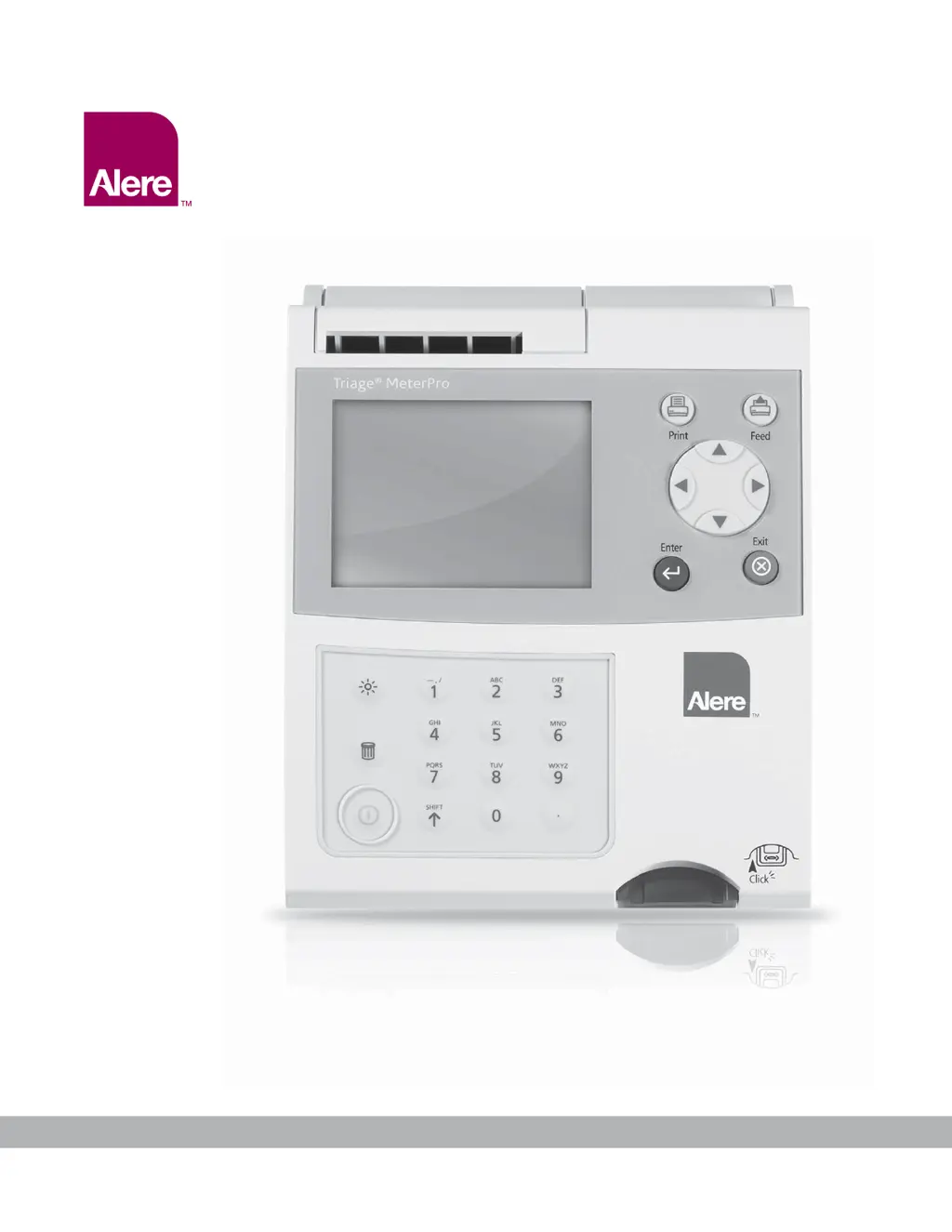
Alere Triage MeterPro - User Manual

Alere Triage MeterPro
104 pages
Print Icon
To Next Page IconTo Next Page
Loading...
MeterPro User Manual
Alere Triage
®

Questions and Answers

  • M
    Michael CummingsAug 21, 2025
    Why Alere Triage MeterPro Measuring Instruments meter will not power on?
    • J
      Jeffery LambertAug 21, 2025
      If your Alere Measuring Instruments meter won't power on or powers off during a test, it could be due to: * Batteries not installed, drained, or incorrectly aligned. Verify batteries are installed and correctly aligned (+) and (-); replace batteries if necessary. * Power source not plugged in. Verify the power cord is installed in the meter and wall outlet.
  • B
    Bradley DuranAug 26, 2025
    How to fix Alere Triage MeterPro when it cannot read code chip?
    • E
      Emily BruceAug 26, 2025
      If Alere Measuring Instruments cannot read the code chip, it could be due to: * A CODE CHIP™ module error. Ensure the CODE CHIP™ module is completely inserted. Try a reagent CODE CHIP™ module from a different box of devices of the same lot number. If a new CODE CHIP™ module eliminates the message, the original CODE CHIP™ is at fault, discard the CODE CHIP™ module. * A meter error. If the new CODE CHIP™ module does not work, install a known working CODE CHIP™ module to verify proper operation.
  • M
    Michael StevensAug 28, 2025
    What does 'Internal Qc Out of Range' mean on Alere Triage MeterPro?
    • R
      Robert FosterAug 28, 2025
      If Alere Measuring Instruments displays a warning that the internal QC is out of range, it indicates that the internal quality control on the test device was out of range. This may be sample specific or device related. Repeat the sample using a new test device.
  • B
    Brady OdomAug 30, 2025
    Why is the battery icon blinking on my Alere Measuring Instruments?
    • B
      Bruce CameronAug 30, 2025
      If the battery icon is blinking on your Alere Measuring Instruments device, it indicates low battery power. Replace the batteries.
  • D
    debra05Sep 1, 2025
    What causes Optic Failure in Alere Measuring Instruments?
    • A
      amanda01Sep 1, 2025
      If Alere Measuring Instruments shows an optic failure, it can be caused by: * Internal standard out of specification. Power the meter off then on again. If the OPTIC FAILURE message clears, run the QC Device to verify proper operation. * Meter exposed to extreme temperatures. Power the meter off and allow it to sit at room temperature for 1–2 hours before powering it back on.
  • N
    Natalie SmithSep 3, 2025
    What to do if Alere Triage MeterPro cannot read bar code?
    • J
      Jake ThompsonSep 4, 2025
      If Alere Measuring Instruments cannot read the bar code, it may be due to a damaged bar code or a broken meter hook (the meter hook pulls the test device into the meter). Look for particles on the bar code of the test device and wipe it off with a dry cloth before repeating the test.
  • E
    Emily CunninghamSep 6, 2025
    Why does Alere Triage MeterPro printer skip lines?
    • M
      Melinda TuckerSep 6, 2025
      If the printer on your Alere Measuring Instruments stops printing or skips a line, it's likely due to low battery power. Try replacing the batteries or verify that the power cord is properly installed in both the meter and the wall outlet.
  • D
    Dr. Casey JonesSep 8, 2025
    How to resolve 'No Device Data In Memory' on Alere Triage MeterPro Measuring Instruments?
    • C
      Cristina GarciaSep 8, 2025
      If Alere Measuring Instruments displays 'No Device Data In Memory', it means the Reagent CODE CHIP™ module has not been installed. Install the CODE CHIP™ module included in the box of test devices (the Reagent CODE CHIP™ module).
  • K
    Kenneth EricksonSep 12, 2025
    What causes printer jam in Alere Triage MeterPro?
    • K
      Kayla LawrenceSep 12, 2025
      If Alere Measuring Instruments has a printer jam, it might be because paper was fed into the meter improperly. Carefully remove the old paper from the printer, and do not insert any tools into the printer.
  • M
    Michael PattersonSep 13, 2025
    What causes Motor Failure in Alere Measuring Instruments?
    • M
      Mrs. Andrea Avila MDSep 13, 2025
      If you experience a motor failure with Alere Measuring Instruments, where the motor ceases to function, it could be due to an object lodged on the meter track or the test device sticking on the meter track. Eject and inspect the device for any sticky substances, labels on top of the device, or other items that may interfere with the meter.

Summary

Alere Triage MeterPro Introduction and Overview

How to Use This Guide

Explains the structure and how to navigate the user manual effectively.

Product Description and Specifications

Details the meter's purpose, operation, specifications, and important safety precautions.

Device Specifications and Warnings

Details physical, environmental, and optical specifications, along with safety warnings.

Alere Triage MeterPro Installation and Setup

Initial Setup and Powering On

Steps for unpacking, powering on, installing paper, and inserting CODE CHIP modules.

Setting Meter Parameters

Configuration of meter settings like ID, Clock, Ranges, Test, and Communication.

Installing CODE CHIP Modules

Instructions for installing various types of CODE CHIP modules for meter functionality.

Alere Triage MeterPro Operation and Data Management

Performing Tests: QC and Patient Samples

Detailed procedures for performing QC Device, QC Sample, Patient, and Misc. tests.

Recalling, Printing, and Deleting Results

Methods for retrieving, printing, uploading, and deleting test results from meter memory.

Display and Alpha Numeric Modes

Adjusting display backlight and using the alpha numeric input mode.

Alere Triage MeterPro Maintenance and Troubleshooting

Total Quality Assurance Procedures

Ensuring quality control through internal and external measures for accurate results.

Service, Cleaning, and Battery Replacement

Procedures for meter maintenance, cleaning, battery management, and paper replacement.

Troubleshooting Meter Issues

Guidance on diagnosing and resolving common meter symptoms, messages, and errors.

Alere Triage MeterPro Support and Documentation

Return, Disposal, and Warranty Information

Procedures for returning malfunctioning units and details on the limited product warranty.

Glossary of Terms and Symbols

Definitions of key terms and explanations of common symbols used in the manual.

Contact Alere and Sample Log Sheets

Information for contacting support and using sample log sheets for test tracking.

Alere Triage MeterPro Specifications

General IconGeneral
Intended UsePoint-of-care testing
AnalyteCardiac markers, drugs of abuse, etc.
Sample TypeWhole blood, plasma, serum, urine
Test TimeApproximately 15-20 minutes
DisplayLCD screen
Data ManagementIncludes data storage and transfer capabilities.
Power SupplyAC power adapter, rechargeable battery
ConnectivityUSB
Test Typescardiac markers
Operating Temperature15-30°C (59-86°F)
Storage Temperature0-30°C (32-86°F)
Humidity Range10-90% relative humidity.
Device TypePoint-of-care

Related product manuals