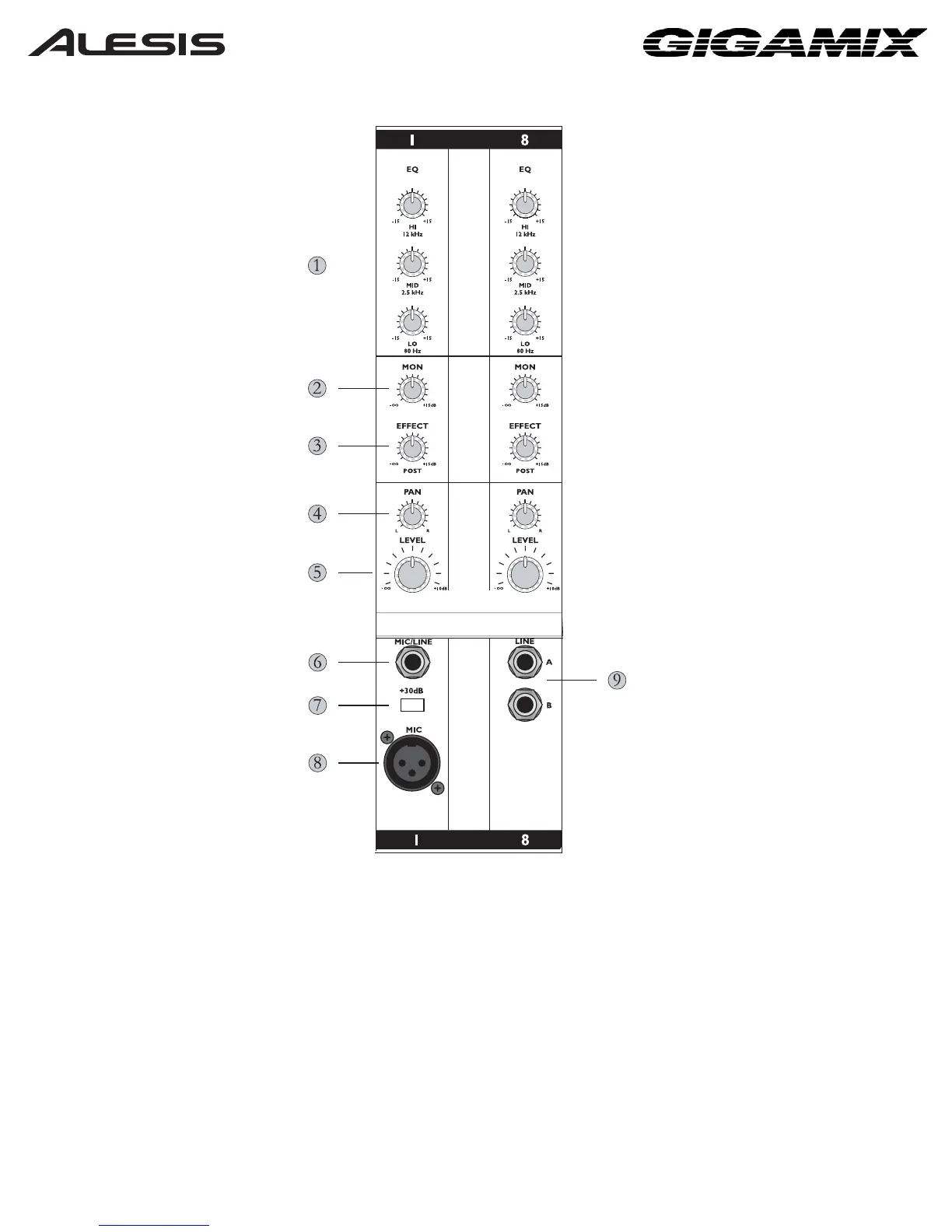
1. Equalizer controls enable you to shape the sound of the channel before it is sent to
the outputs.
2. The MON knob controls the amount of a given channel being sent to the Monitor
Output.
3. The EFFECT knob helps you dial in the desired amount of effects for the channel.
4. The PAN knob (GigaMix 8FX only) sets the stereo placement for the channel.
5. The LEVEL knob controls the volume of the channel.
6. This jack is for connecting an instrument to the GigaMix using a 1/4” TS (Tip-Sleeve)
cable.
7. The +30dB button helps boost the volume of high-impedance/low-level sources.
6




 To Next Page