EasyManua.ls Logo

Alesis QX25 - User Manual

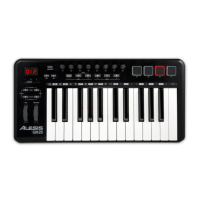
Alesis QX25
40 pages
Print Icon
To Next Page IconTo Next Page
Loading...
QUICKSTART GUIDE
ENGLISH ( 2 – 6 )
GUÍA DE INICIO RÁPIDO
ESPAÑOL ( 711 )
GUIDE D'UTILISATION RAPIDE
FRANÇAIS ( 12 – 16 )
GUIDA RAPIDA
ITALIANO ( 17 21)
KURZANLEITUNG
DEUTSCH ( 22 – 26 )
QX25
QUICKSTART GUIDE
ENGLISH ( 3 - 8 )
GUÍA DE INICIO RÁPIDO
ESPAÑOL ( 9 - 14 )
GUIDE D'UTILISATION RAPIDE
FRANÇAIS ( 15 - 20 )
GUIDA RAPIDA
ITALIANO ( 21 - 26 )
KURZANLEITUNG
DEUTSCH ( 27 - 32 )

Other manuals for Alesis QX25

Questions and Answers

Summary

Connection Diagram

Rear Panel Overview

Top Panel Overview

Advanced Features

Accesses secondary functions like MIDI channels and velocity curves.

Performance Controls

Includes Octave/Transpose, Pitch Bend, Modulation Wheel, Pads, Knobs, Transport.

Advanced Features

Factory Reset

Restores QX25 to its original factory settings.

Global MIDI Channel

Assigns the global MIDI channel for the QX25.

Control Assignment

Assigns MIDI messages to controls like sliders, pads, and knobs.

Zone Channel Assignment

Assigns MIDI channels for QX25's Zone controllers.

Summary

Connection Diagram

Rear Panel Overview

Top Panel Overview

Advanced Features

Accesses secondary functions like MIDI channels and velocity curves.

Performance Controls

Includes Octave/Transpose, Pitch Bend, Modulation Wheel, Pads, Knobs, Transport.

Advanced Features

Factory Reset

Restores QX25 to its original factory settings.

Global MIDI Channel

Assigns the global MIDI channel for the QX25.

Control Assignment

Assigns MIDI messages to controls like sliders, pads, and knobs.

Zone Channel Assignment

Assigns MIDI channels for QX25's Zone controllers.

Alesis QX25 Specifications

General IconGeneral
MIDI-keyboard number of keys25 keys
Product colorBlack
InterfaceUSB
DC-in jackYes
Input voltage5 V
Power source typeDC

Related product manuals