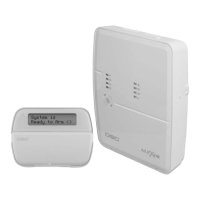
PC9155 Wireless Alarm System
5-39
[591]-[592] Inactivity Timers
Inactivity timers are used to create two windows to monitor 24-Hour. non-alarm zone activity. They are [591] Inactivity Timer 1 Start, Inactivity Timer 1 End, [592]
Inactivity Timer 2 Start, and Inactivity Timer 2 End. Enter two 4-digit decimal numbers in these two sections. Valid entries for each 4-digit decimal entry are 0000
to 2359. Enter 9999 to disable. The Failed to Arm reporting code will follow the alarms and restorals call directions.
[600] 2-way Audio Control Options
[609] Module Tamper Reporting Codes
This section is used for programming keypad/siren tamper reporting codes. A value of 00 can be entered to disable individual reporting codes.
[4]
Output Options
ON: Output Pulsed. When using [
][7], the output activates for the duration programmed in the PGM output timer, section [170].
OFF: Output On/Off. The output toggles between on and off when the corresponding [
][7] command is entered.
The following attribute is available only for PGM Output Types [11] and [19]-[20].
[5]
Access Code Options
On: Access code required for activation.
Off: No access code required for activation.
The following attributes are available for the System Trouble PGM option [09]
System Trouble PGM (Type 09)
[1] Service Required
[2] A.C. Failure
[3] Telephone Line Fault
[4] Communications (Failure to Communicate)
[5] Device (Fire) Fault / WLS Zone Supervisory Fault Enabled
[6] Device Tamper
[7] Device Low Battery
[8] Loss of Clock
The following attributes are available for the System Event PGM option [10]
System Event PGM (Type 10)
[1] Burglary Delay, Instant, Interior, Stay/Away, Night, and 24 Hour Burglary Zone Types
[2] Fire Key, Fire zone
[3] Panic Key and Panic zones
[4] Medical Key, Medical, and Emergency zones
[5] Supervisory Supervisory, Auxiliary, Freeze, and Water zones
[6] Priority Gas, CO, 24-Hour Heat and 24-Hour Latching Tamper zones
[7] Duress Duress alarms
[8] Output Options ON: Output Follows PGM Timer (Attribute 8). The output activates for the duration programmed for the PGM out-
put timer (section [170])
OFF = Output is Latched. The output is active until a valid access code is entered.
i
If a system event PGM is programmed to follow the command output timer (Attribute 8 On), all other PGM attributes must be enabled.
Option Description
[1] ON: Tampers Enabled. The Talk/Listen-in session initiates for tamper conditions
OFF: Tampers Disabled. 2-way Audio is disabled for tamper conditions
[2] ON: Openings and Closings Enabled. The Talk/Listen-in session initiates for Openings & Closings events
OFF: Openings and Closings Disabled. 2-way Audio is disable for Openings & Closings events
[3] ON: [A] Key Alarm Enabled. The Talk/Listen-in session initiates for [A] Key Alarm
OFF: [A] Key Alarm Disabled. 2-way Audio is disabled for [A] Key Alarm
[4] ON: [P] Key Alarm Enabled. The Talk/Listen in session initiates for [P] Key Alarm
OFF: [P] Key Alarm Disabled. The Talk/Listen in session is disabled for [P] Key Alarm
[5] ON: Duress Alarm Enabled (Listen). The Listen-in session initiates for Duress Alarm
OFF: Duress Alarm Disabled. 2-Way Audio is disabled for Duress Alarm
[6] ON: Opening after Alarm Enabled. The Talk/Listen-in session initiates for Opening After Alarm
OFF: Opening after Alarm Disabled. 2-Way Audio is disabled for Opening After Alarm
[7] ON: Siren Active during 2-way Audio. The sounder will remain active during a 2-way Audio session when an audible alarm is present
OFF: Siren Silent during 2-way Audio. The sounder is silent when a 2-way audio session begins and when an audible alarm is present, allowing the
user to hear the operator. The sounder resumes operation for the time-out duration if the panel has not been disarmed at the end of the 2-way session.
[8]
For Future Use


 To Next Page