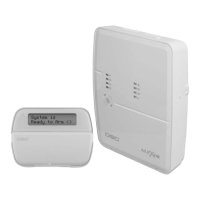
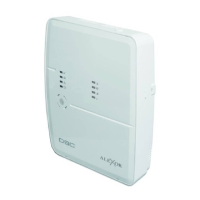
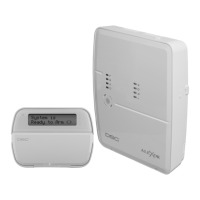
PC9155 Wireless Alarm System
5-41
[800] Door Chime Options for Zones 1-34
[804]-[001]-[032] Wireless Device Serial Number
These sections are for manual enrollment of wireless device serial numbers (ESN).
• See [804][101]-[116] for one-way and two-way wireless key enrollment.
• See [804][201]-[204] for two-way keypad enrollment.
• See [804][301]-[304] for two-way siren enrollment.
This is a 6-digit (one-way) or 8-digit (2-way) entry. For toggling entries between decimal and hexadecimal values, press [
].
[804][081] Wireless Supervisory Window
This entry is used to program the length of time a wireless device must be absent from the system before a fault is generated. The wireless supervisory window is
calculated by multiplying the programmed value by 15 minutes.
Valid entries are 04 to 96 which correlates to 1 to 24 hours. The default value for North America is 96 (24 hours) and 08 (2 hours) for Europe.
[804][082]-[085] Zone Transmitter Supervision Options
Program these sections if the zone transmitter will be supervised. All zones are enabled for supervision by default.
[804][101]-[116] Wireless Key Serial Number
These sections are used to enter the wireless key serial numbers. Each 2-way serial number is an 8-digit hexadecimal entry. To toggle entries between decimal and
hexadecimal values, press [
]. One-way serial numbers are 6-digits. “00” must be added to the start of a 6-digit serial number.
Keypads and indoor sirens can annunciate one of four different door chime tones for each zone on the system.
Each section contains the following chime options:
• Enable one door chime option for each zone.
• If more than one option is enabled, the highest numerical option enabled takes precedence.
For example: If options 3 and 1 are both enabled, then the zone will sound option 3 “Ding-Dong.”
• If all door chime options are disabled, the keypad/siren will not sound a door chime tone for that particular zone.
Option Description
[1]
ON: Standard Door Chime Enabled. Traditional door chime tone found on other DSC keypads (6 quick beeps)
OFF: Standard Door Chime Disabled.
[2]
ON: “Bing-Bong” Door Chime Enabled.
OFF: “Bing-Bong” Door Chime Disabled.
[3]
ON: “Ding-Dong” Door Chime Enabled.
OFF: “Ding-Dong” Chime Disabled.
[4]
ON: 4-second Alarm Tone Door Chime Enabled. The keypad/siren will sound a medium volume alarm signal for 4 seconds.
OFF: 4-second Alarm Tone Door Chime Disabled.
[5]-[8]
For Future Use
One-way Devices Two-way Devices
The first digit of a 6-digit serial number for one-way
devices identifies the type of device as indicated below:
The first digit of an 8-digit serial number for two-way devices is 2.
The second digit identifies the type of device as follows:
2
Door/Window Contact or Flood Sensor
20
Wireless Keypad
3
PIR or Glass Break Detector
21
Wireless Keypad with Proximity Tag Detector
4
Smoke Detector
22
Future Use
5
Panic Pendant
23
Wireless Indoor Siren
6
Wireless Keys
8
Carbon Monoxide Detector
24
Wireless Outdoor Siren
9 Wireless Keys 25
Wireless two-way Key
i
Leading 00s must be entered for one-way wireless devices with six-digit serial numbers (E.g. SN 234567 must be entered
as 00234567).
i
This timer may run the programmed time plus up to the number of minutes programmed in this section. For example, the European default is 2 hours,
but the actual time could be as long as 2 hours and 8 minutes. The North American default is 24 hours, but the actual time could be as long as 25
hours and 36 minutes.
UL fire listings require a 4 Hr setting (4 Hrs = 16, 16x15 minutes)
i
DSC does NOT recommend supervision of panic pendants, because they may be removed from the premises.


 To Next Page