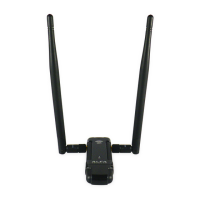
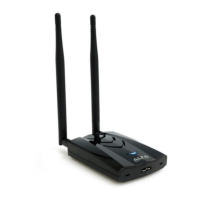
AWUS036ACHM
Y61-0236ACHM04-00000
This product is suitable for use in all EU countries.
© ALFA Network Inc.
Please go to
https://info.alfa.com.tw/awus036achm
to download the latest driver.
1
After downloading double-click to
install and follow the instructions.
2
Read the license agreement, choose
“I accept the terms of the license
agreement” and click “Next”.
3
Choose “Install driver and Mediatek
WLAN Utility” and click “Next”.
4
Click “Install” to continue.
5
Click “Finish”.
6
Plug the AWUS036ACHM into your
PC/laptop.
7
Found New Hardware pops up from
the utility bar.
8
Select your target network and
double-click it.
9
Click “Next” then enter the network
security key.
10
You should see a symbol in front of the
name of the network; It means you have
successfully connected to your wireless
network.
11
For more information, including Linux support,
go to the URL below or scan the code:
https://info.alfa.com.tw/awus036achm
Quick-Start Guide
Please be aware this quick-start guide is not intended to be a substitute for the User Manual. To become familiar with all the operating
procedures and technical information, be sure to read all information shown during the installation process.



 To Next Page
