EasyManua.ls Logo

Alfa Network AWUS036NHA - User Manual

Alfa Network AWUS036NHA
28 pages
Print Icon
To Next Page IconTo Next Page
Loading...
User’s Guide
AWUS036NHA
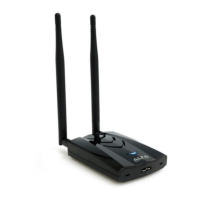
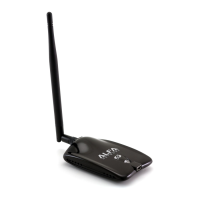
150Mbps Wireless High Gain USB Adapter
Question and Answer IconNeed help?

Do you have a question about the Alfa Network AWUS036NHA and is the answer not in the manual?

Summary

FCC Statement

FCC RF Radiation Exposure Statement

Details FCC compliance and SAR limits for device usage.

CE Mark Warning

National Restrictions

Outlines country-specific limitations for device operation within the EU.

Package Contents

Chapter 1: Introduction

1.1 Product Overview

Describes the adapter's design, performance, and key features.

1.2 Key Features

Lists the technical specifications and supported standards of the adapter.

1.3 LED Status Indicators

Explains the meaning of different LED indications for device status.

Chapter 2: Installation Guide

2.1 Hardware Installation

Instructions for physically connecting the adapter to a computer.

2.2 Software Installation

Step-by-step guide for installing drivers and utilities.

2.2.1 Installation Overview

General introduction to the software installation process.

2.2.2 Windows XP Software Installation

Detailed instructions for installing software on Windows XP.

Chapter 3: Configuration for Windows XP

3.1 Current Status

Displays current connection status, signal strength, and network information.

3.2 Profile Management

Covers creating, modifying, and managing network profiles.

3.2.1 Add or Modify Profile

Guides on adding new or editing existing wireless connection profiles.

3.2.2 Remove a Profile

Instructions for deleting unwanted network profiles.

3.2.3 Switch Profile

Explains how to activate different saved network profiles.

3.2.4 Export Profile

Describes how to save current profile configurations to a file.

3.2.5 Import Profile

Details how to load previously saved profile configurations.

3.2.6 Scan Available Networks

How to search for and view available wireless networks.

3.2.7 Auto Profile Selection

Configures automatic selection of profiles based on network availability.

3.3 Diagnostics

Tools for checking adapter performance and troubleshooting.

3.3.1 Check Driver Information

View details about the installed network adapter driver.

3.3.2 Check Receive and Transmit Statistical Information

Analyze detailed statistics for data transmission and reception.

Appendix A: Specifications

Appendix B: Glossary

Summary

FCC Statement

FCC RF Radiation Exposure Statement

Details FCC compliance and SAR limits for device usage.

CE Mark Warning

National Restrictions

Outlines country-specific limitations for device operation within the EU.

Package Contents

Chapter 1: Introduction

1.1 Product Overview

Describes the adapter's design, performance, and key features.

1.2 Key Features

Lists the technical specifications and supported standards of the adapter.

1.3 LED Status Indicators

Explains the meaning of different LED indications for device status.

Chapter 2: Installation Guide

2.1 Hardware Installation

Instructions for physically connecting the adapter to a computer.

2.2 Software Installation

Step-by-step guide for installing drivers and utilities.

2.2.1 Installation Overview

General introduction to the software installation process.

2.2.2 Windows XP Software Installation

Detailed instructions for installing software on Windows XP.

Chapter 3: Configuration for Windows XP

3.1 Current Status

Displays current connection status, signal strength, and network information.

3.2 Profile Management

Covers creating, modifying, and managing network profiles.

3.2.1 Add or Modify Profile

Guides on adding new or editing existing wireless connection profiles.

3.2.2 Remove a Profile

Instructions for deleting unwanted network profiles.

3.2.3 Switch Profile

Explains how to activate different saved network profiles.

3.2.4 Export Profile

Describes how to save current profile configurations to a file.

3.2.5 Import Profile

Details how to load previously saved profile configurations.

3.2.6 Scan Available Networks

How to search for and view available wireless networks.

3.2.7 Auto Profile Selection

Configures automatic selection of profiles based on network availability.

3.3 Diagnostics

Tools for checking adapter performance and troubleshooting.

3.3.1 Check Driver Information

View details about the installed network adapter driver.

3.3.2 Check Receive and Transmit Statistical Information

Analyze detailed statistics for data transmission and reception.

Appendix A: Specifications

Appendix B: Glossary

Alfa Network AWUS036NHA Specifications

General IconGeneral
ModelAWUS036NHA
CategoryAdapter
InterfaceUSB 2.0
ChipsetAtheros AR9271
Wireless StandardsIEEE 802.11b/g/n
Frequency Band2.4 GHz
Data Ratesup to 150 Mbps
SecurityWEP, WPA, WPA2
Operating Systems SupportedWindows, Linux, Mac OS
AntennaExternal 5 dBi antenna

Related product manuals