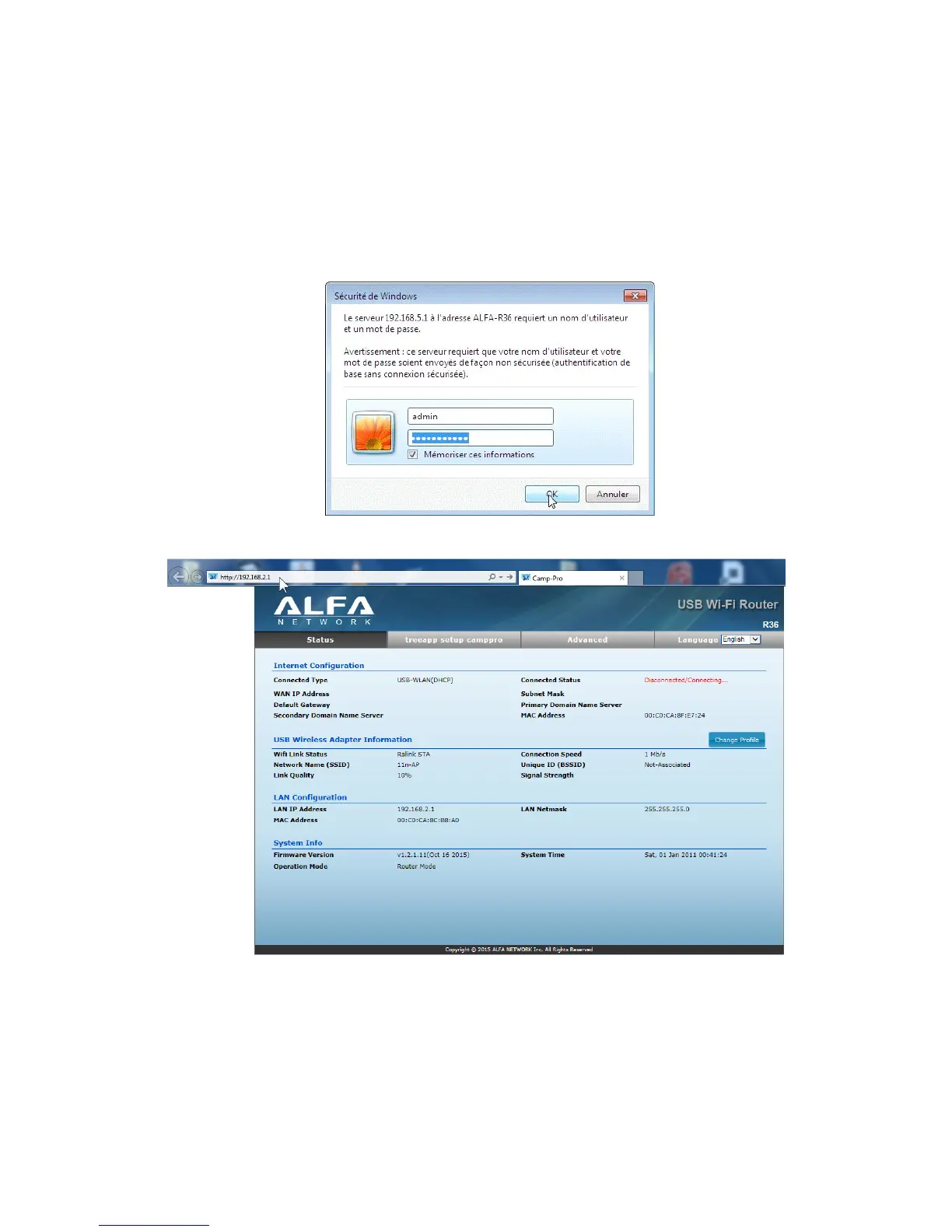
Open a web page using Internet Explorer, Google Chrome or Firefox and type:
http://192.168.2.1 (or 192.168.2.1) in address bar & press "Enter"
If you cannot reach the setup page, restart the Computer, if you use a Laptop, you may need
to disable Wifi Radio temporarliy.
The configuration window opens, enter admin in both boxes, click OK
Click on "Change Profile" and follow the instructions in pictures.
Click on « Site Survey »



 To Next Page