Configuring with a Computer
1. Connect the Rj45 (Network) cable to the computer and other end into the LAN port on
the R36
2. Open a Web page using Internet Explorer, Google Chrome, or Firefox and type:
http://192.168.2.1 (or 192.168.2.1) in the address bar and press "Enter"
If you cannot reach the setup page, restart the Computer, if you use a Laptop, you may
need to disable Wifi Radio temporarliy.
Configuring with a Phone or Tablet
1. Find and connect to the Wifi Network "ALFA_AP".
2. Open a Web page using the Internet Browser or Google Chrome and type:
http://192.168.2.1 (or 192.168.2.1) in the address bar and press "Enter"
Note: During configuration, when CampPro restarts, make sure that your phone or tablet
is always connected to the network "ALFA_AP"
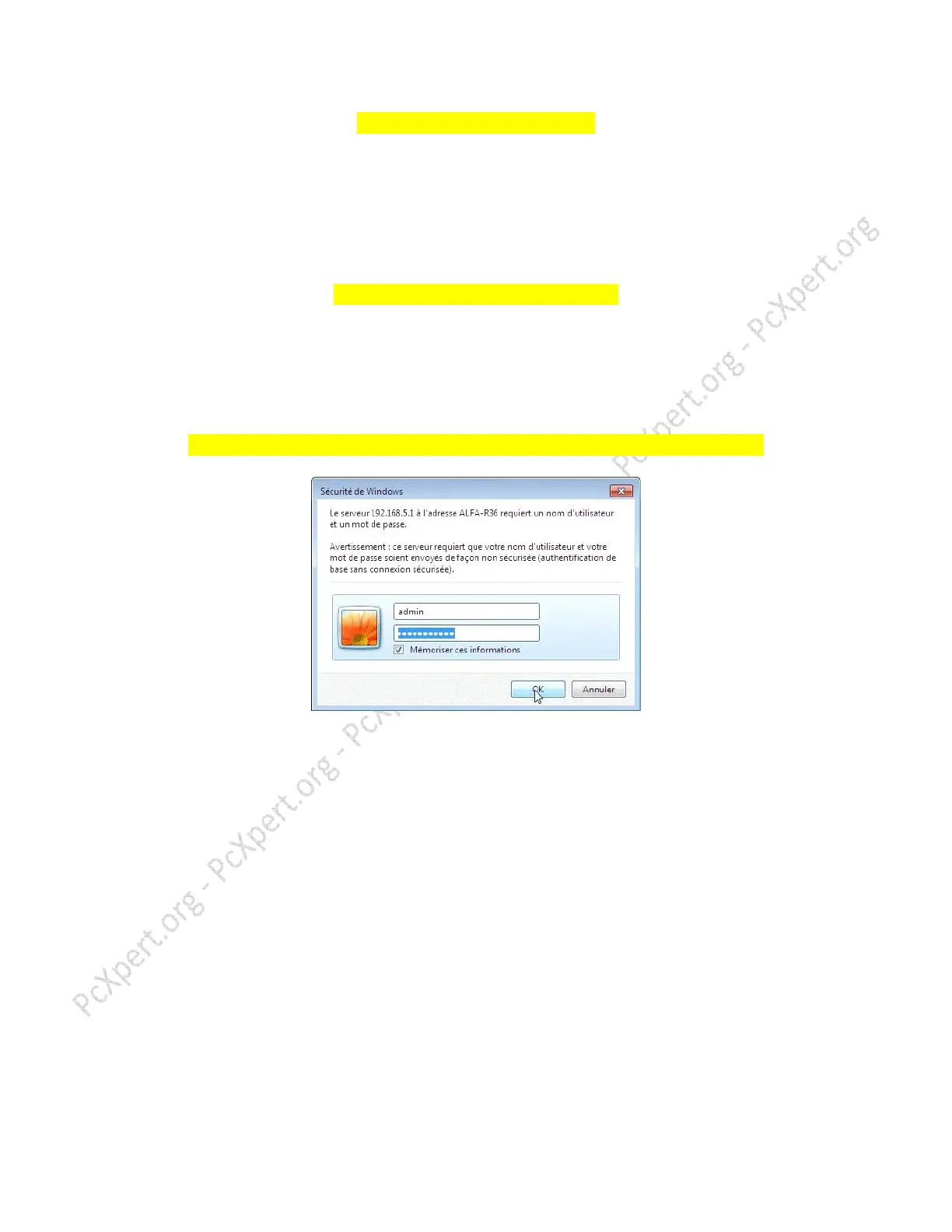
With either one, this window must appear to continue the Configuration
Enter admin in both boxes, click OK
Click on "Camp-Pro Setup" or “Change Profile” and follow the instructions in pictures.



 To Next Page