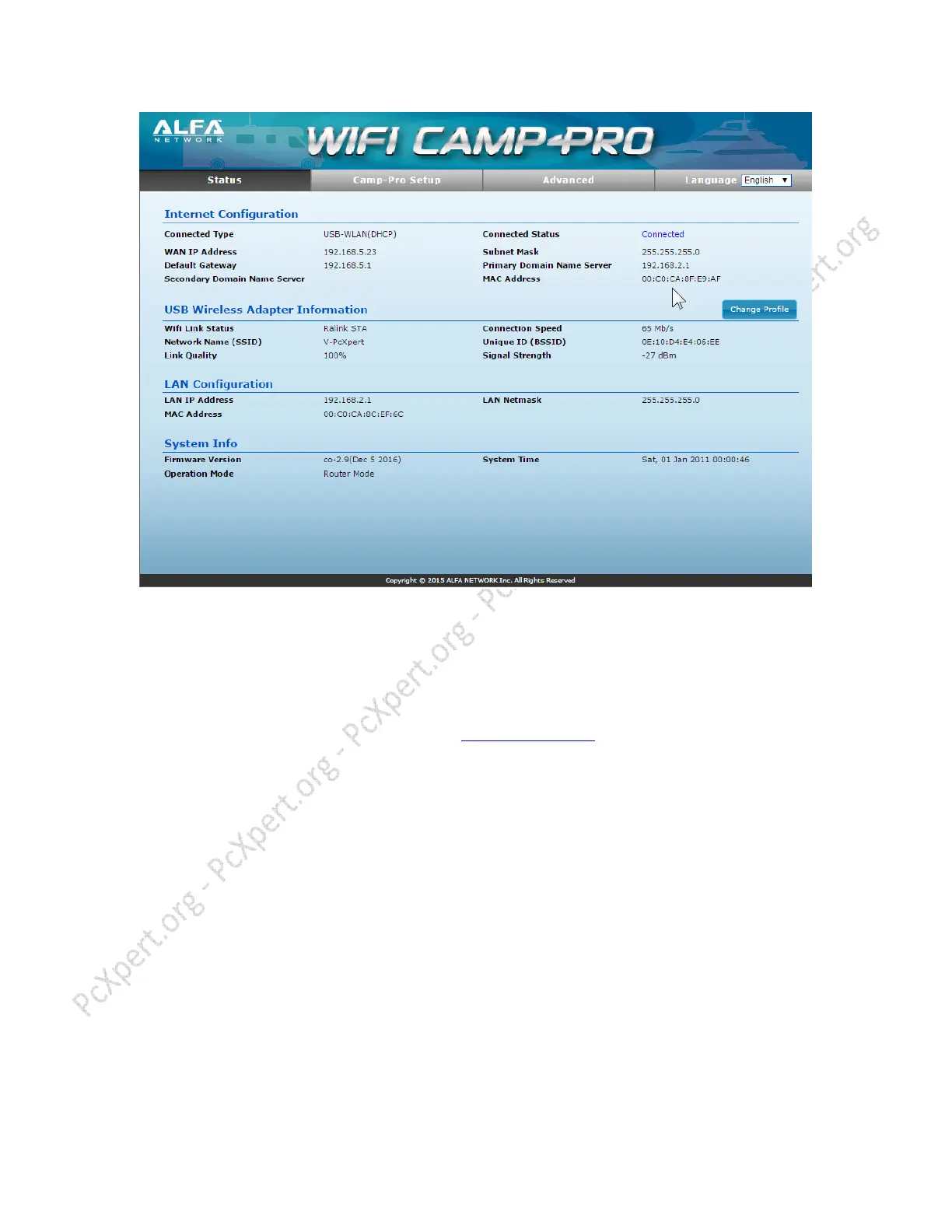
ALL Done! You’re Online! You can close setup window.
If you do NOT see “Connected” begin from start!
The R36’s default WiFi Network Name (SSID) is “ALFA_AP” and is open for access to
anyone (not password protected)
Any Wireless Device can now connect to ALFA_AP Network and surf on internet.
Presented by www.pcXpert.org
This Guide is free for use but please Do NOT contact us for help if you did not buy the
Product from us.
---------------------------------------------------------------------
Optional: You can change settings, like network Name (SSID) default is “ALFA_AP” or
password protect it, as long as you know what you do. See instructions below to
password protect your Own Network (ALFA_AP)



 To Next Page